

I spent a few hours playing with xAI's new text-to-speech (TTS) model and came away convinced it's currently the best TTS model on the market.
To give you a sense of the range, here's a two-voice scene with a British and Spanish scientist code-switching mid-conversation and a bunch of jargon.
I've recently tried many TTS providers, including OpenAI, ElevenLabs, Rime.ai, Smallest.ai, and Gemini. Until now, ElevenLabs has been my go-to benchmark for the most challenging TTS scenarios: transcripts with a lot of emotive content and difficult-to-pronounce words or names. For realtime applications, smaller models that specialize in low latency like Rime.ai and Smallest.ai tend to match the larger providers at a better price.
Grok TTS is good at both. It easily rivals ElevenLabs on complex transcripts, and the realtime voice agent I set up worked as well as any provider I've tried to date. It was also the easiest of any provider to set up. The Grok TTS documentation is agent-friendly and makes vibe-coding examples trivial.
Sounds good. Must be expensive? Actually, it turns out to be the cheapest TTS I've tried.
| Provider | Model | Per 1M characters |
|---|---|---|
| xAI Grok | TTS | $4.20 |
| Smallest.ai | Lightning V3 | $8.00 |
| Rime.ai | All models (PAYG) | ~$30.00 |
| ElevenLabs | Flash / Turbo | $50.00 |
| ElevenLabs | Multilingual v3 | $100.00 |
However, there are still a couple of missing pieces. Voice cloning is region-locked, and the dashboard lacks fine-grained filters for picking the right voice.
Putting Grok TTS Through Five Tricky Transcripts
I gave the TTS engine five transcripts that stress different aspects of speech generation. You can explore each of them in the table below.
| Example | Audio | What it tests |
|---|---|---|
| Sympathy | Soft emotional register, natural pacing, and warmth. This is the kind of delivery that sounds robotic if read too literally | |
| Numbers and names | Spoken ordinals ("four-hundred-and-twenty-second"), date and time formats, and proper nouns most models stumble on (Siobhán) | |
| Excitement | Emphatic repetition, exclamation prosody, and loanword pronunciation (soufflé) | |
| Spanish restaurant | Multilingual text with inverted Spanish punctuation, plus a warm welcome register | |
| Deadpan disfluency | Rhetorical questions, ellipsis, and deadpan delivery |
The model ships with 89 voices spanning 28 language locales, with a mix of male and female voices across young, middle-aged, and older registers. Five of them are fully multilingual and work across every supported language, making them the practical default for anything involving code-switching or multilingual content.
I had an LLM generate a passage using 10 different languages to test one of the multilingual voices. You can hear the result below. It sounds pretty good in places and a bit off in others, and I'd guess it sounds odder to native speakers than it does to me, but it's an impressive result for a single voice.
Inline Speech Tags Are Best Used Sparingly
You can shape pacing, volume, and register by embedding tags directly in the text. Bracket tags like [pause], [breath], and [laugh] trigger one-off effects, while wrapping tags like <whisper>...</whisper>, <soft>...</soft>, and <slow>...</slow> apply a style across a whole span. The model treats them as performance directions rather than literal text.
In practice, I found it best to use these sparingly. The voices already pick up vocal qualities from context, and adding tags on top often made things sound more forced and less natural.
Integration UX and AX: A Step Above
xAI provides dashboard playgrounds split across TTS, speech-to-text (STT), and voice agents.
One Missing Filter on the TTS Dashboard
The TTS dashboard covers most of the options you'd expect: enter the text, select the voice, set the language, add any effects, and click generate.
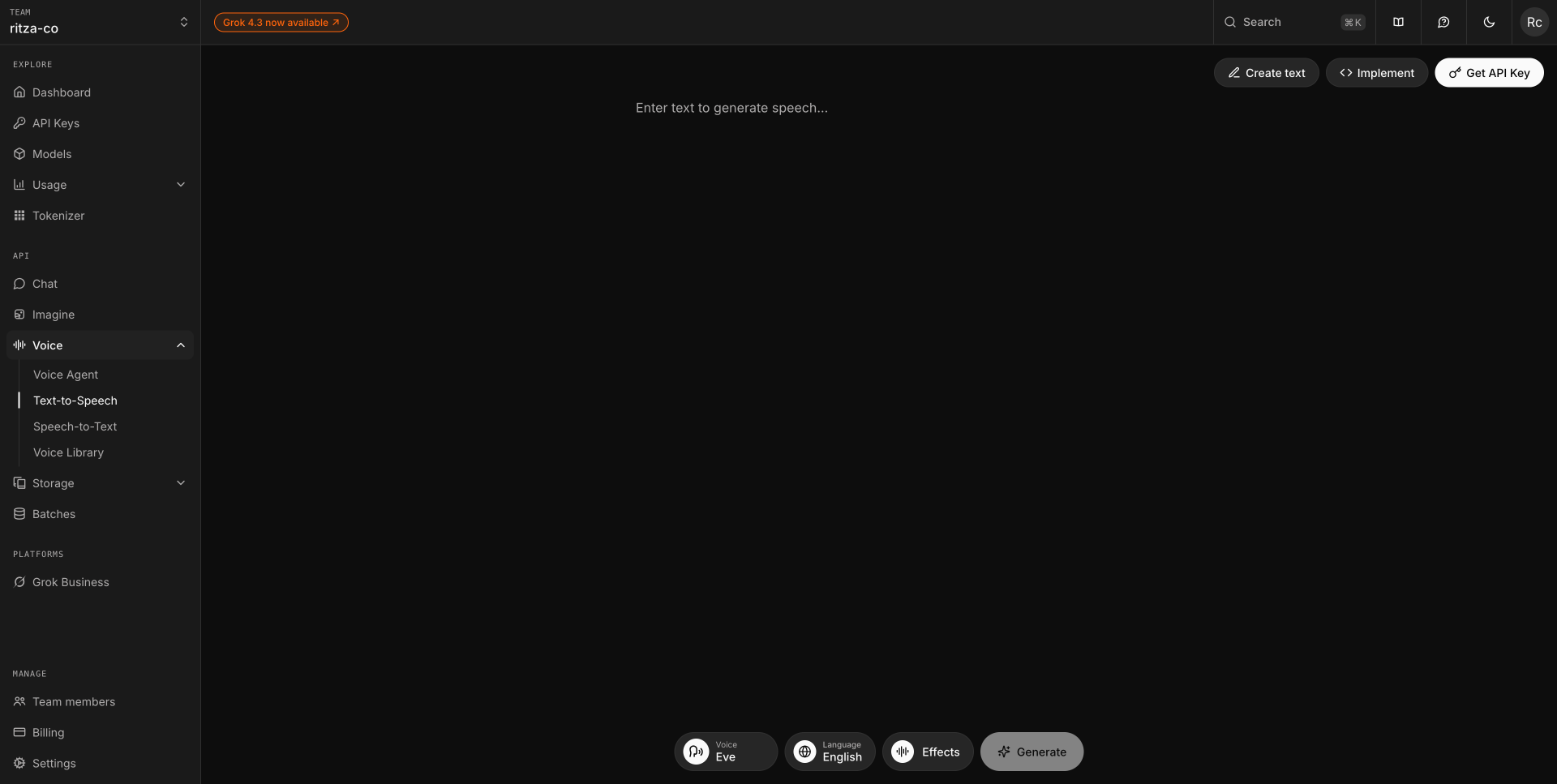
You can then immediately play back the result or download it as a WAV file at 48 kHz quality.
The one feature I expected and didn't find was an accent filter. English voices do come in different accents, but you can only infer them from the language tag. There's no way to filter on accent directly.
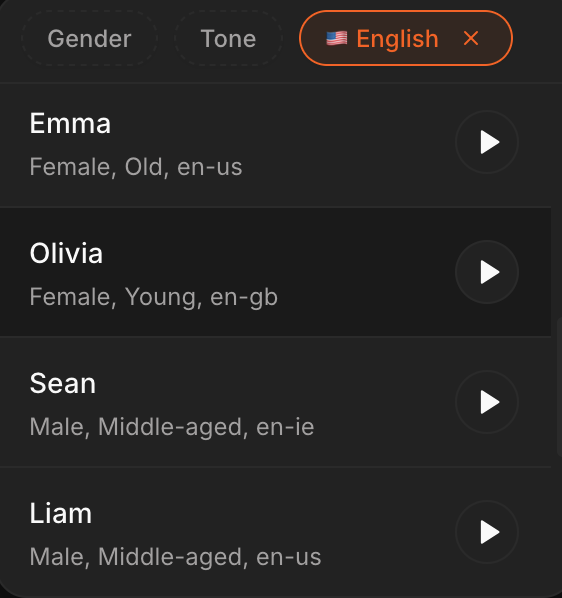
If you're trying to build a specific character, you might have to spend more time than you want cycling through all the available voices.
Spinning Up a Voice Agent Without Writing Code
You pick a template, describe what you want in plain text, and hit Start. The agent is live within a few seconds.
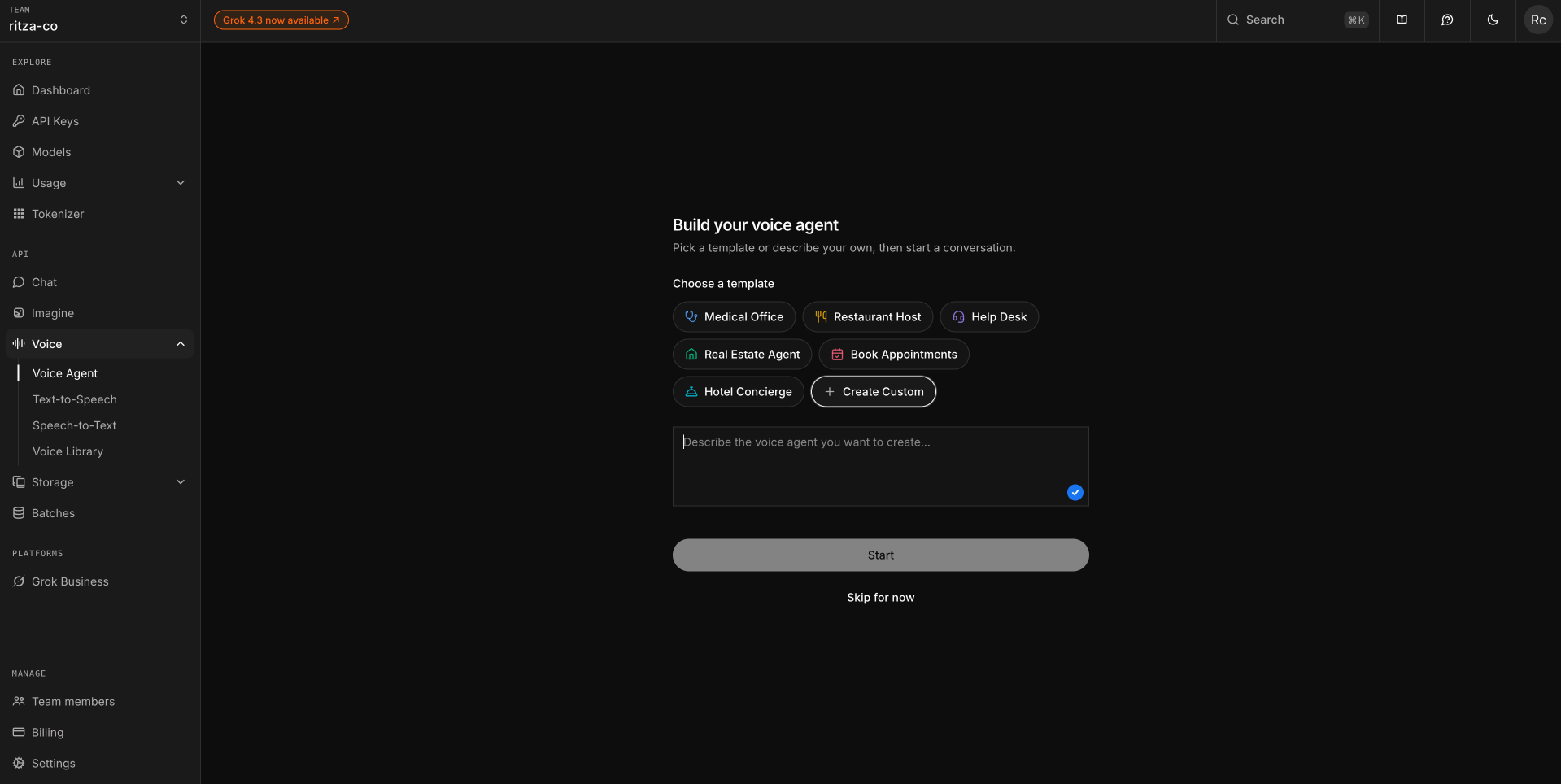
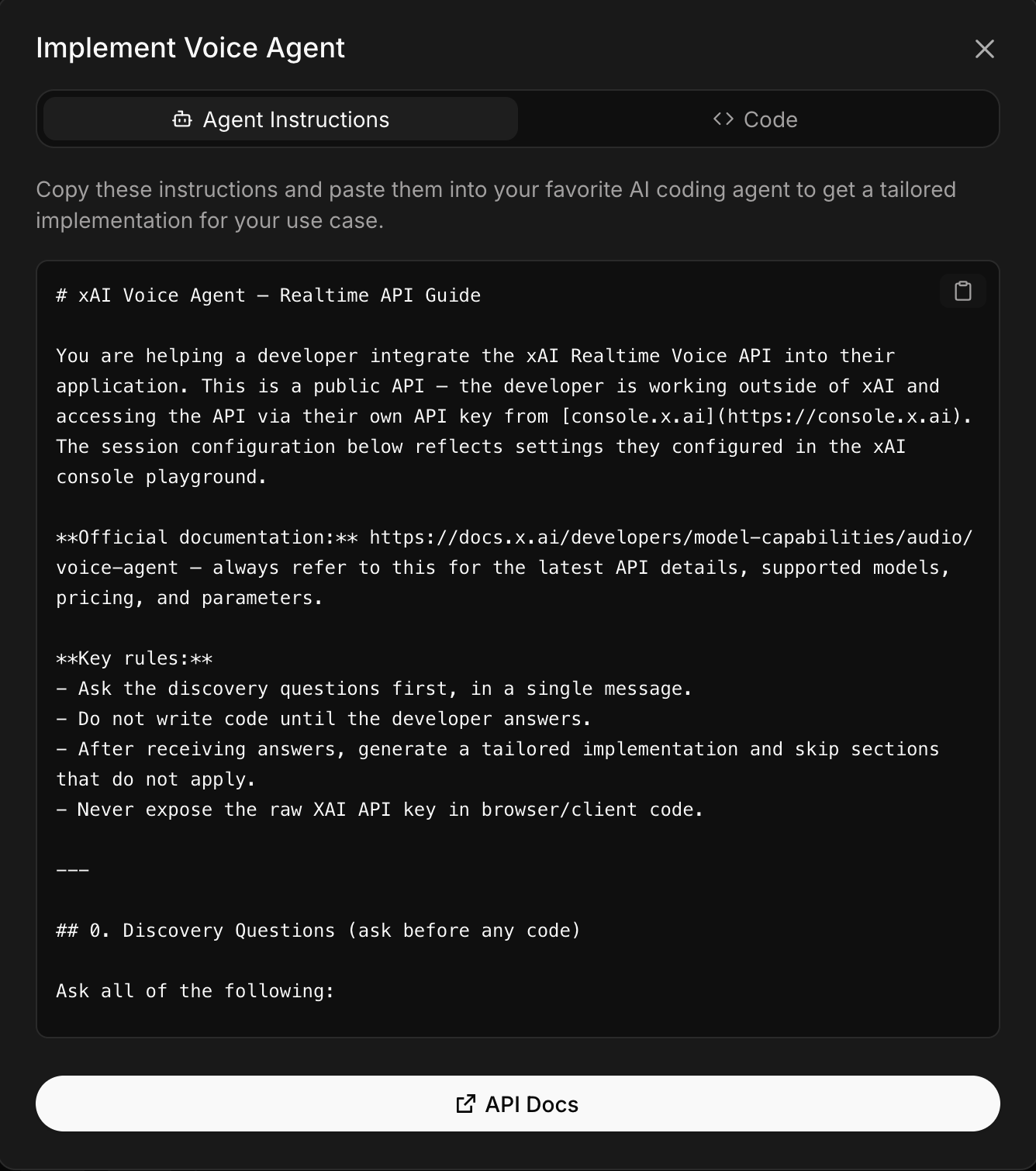
To test it, I pasted the system prompt from an old voice agent I'd built and had a working agent (with custom tools) ready in seconds. Even better, the dashboard has an Implement button that exports your agent either as a prompt you can paste into a coding agent, or as plain JavaScript.
Vibe-Coding a Voice Agent Straight From the Docs
xAI's agent experience (AX) is impressive. Every instruction in the documentation is presented both programmatically and through the UI, so a coding agent like Claude can act on a prompt like:
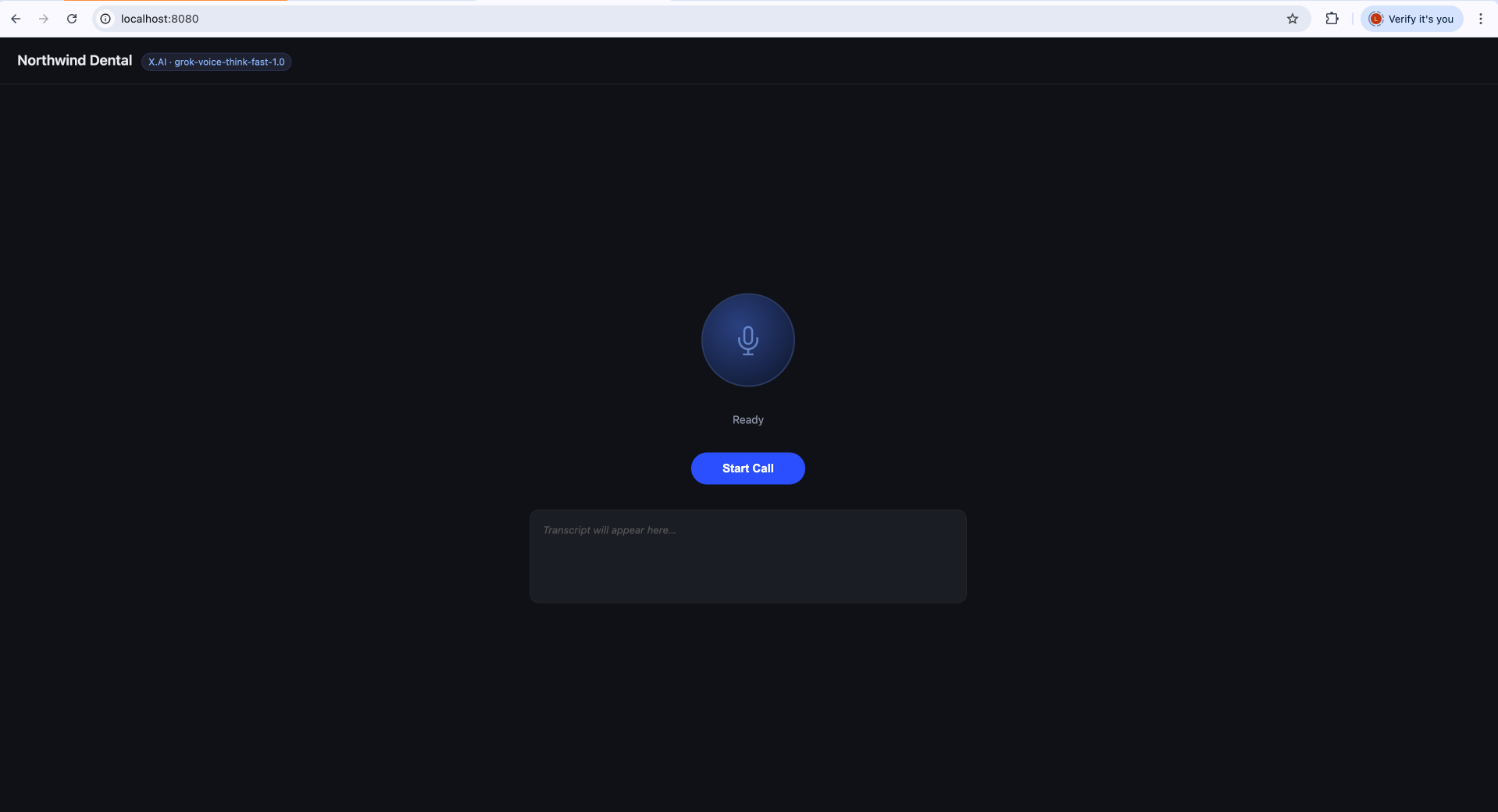
Build me a realtime voice agent for Northwind Dental that I can have a conversation with in my browser using xAI's realtime voice model
I've tried similar prompts with most providers, and this is the first one Claude has one-shotted, with only a minor microphone permission issue to fix afterwards.
How the Realtime Voice Agent Actually Performs
Setting it up was great, but how does it actually hold up in conversation? I recorded a short demo of booking a dentist appointment:
The voice is still pretty obviously artificial, but I think most of that is down to the system prompt rather than the model. It adds more words than a human would, and it's far too calm and precise to read as human. It also got flustered when I interrupted it mid tool call and needed me to repeat the question. That said, this was generated automatically in about 30 seconds, and most of these rough edges could be smoothed out with better prompt engineering.
Overall, it was on par with or better than any provider I've tried, and by far the easiest to integrate with.
The Missing Piece: Voice Cloning Is Region-Locked
To get even more specific with the voice you want, several providers now offer instant voice cloning. You upload a couple of minutes of clean audio and get back a voice with similar qualities. xAI has offered this since early May 2026, but it's currently region-locked to the USA, so I couldn't try it.
Pricing That Undercuts Everyone Else
xAI's pricing is refreshingly transparent. There are only two rates: $4.20 per 1M characters for TTS, and $3.00 per hour for the realtime voice agent.
| Service | Rate |
|---|---|
| TTS | $4.20 / 1M characters |
| Realtime voice agent | $3.00 / hour ($0.05 / minute) |
To put that in context, generating a 200-page audiobook (roughly 500,000 characters) costs about $2.10. Running a voice agent that handles 1,000 five-minute support calls costs $250.
Should You Use Grok TTS?
If you're using an AI voice model for a legitimate purpose (an answering service, a voice assistant that doesn't suck to listen to, an audiobook), the new voice models from xAI are easy to recommend. If you're using an AI voice model for YouTube slop or scamming old people... Yeah, it would be great for that too. Don't do that.