
Prefect with AI Agents: The Real Agent Experience
We tested the Prefect agent experience (AX) by asking Claude Code to discover, set up, integrate with, and use Prefect agent tooling, starting from a bare project directory. Every score reflects what actually happened in a real session.
Prefect averages 3.25/4. Integration is nearly frictionless, but the agent tooling is weaker than it first appears: read-only MCP, the llms.txt is hard to find, and no skills.
All testing was done with Claude Opus 4.6 in Claude Code. Discoverability, onboarding, integration, and agent tooling were tested in fresh sessions with no prior context.
Scores at a Glance
Integration Is Straightforward
The agent added five @task decorators and a @flow to an existing pipeline, ran it against Prefect Cloud, and all tasks completed on the first attempt.
The Cloud Login Is a Weak Spot
The prefect cloud login command requires an interactive terminal. Claude Code's shell is non-interactive, so the agent couldn't complete cloud auth on its own. It took a manual API key creation in the UI.
Agent Tooling Falls Short
The official MCP server works in Claude Code but is read-only. The llms.txt exists on a docs subdomain the agent didn't check, and at approximately 137,000 tokens it would exceed most context windows. No skills exist.
Discoverability
Can an agent find Prefect and does it recommend it?
The Test: A Generic Orchestration Request
We started with a 60-line Python pipeline that loads sales data from a CSV, fetches live exchange rates, converts currencies, summarizes by region, and saves a JSON report. We asked the agent what to use:
I want to orchestrate this pipeline and make it observable. What could I use to do this?
Prefect came back as one of two top choices alongside Dagster and ahead of Airflow:
Prefect — Lightweight, Python-native. Add @task and @flow decorators to your
existing functions — minimal refactor. Built-in retries, scheduling, and a dashboard.
Airflow was described as "overkill here." Prefect was the agent's top pick for our use case.
Prefect vs. Dagster
We asked the agent to compare the top two results directly:
Prefect optimizes for developer ergonomics and low friction. Dagster optimizes for
modeling your data estate as a first-class concern. If you're mostly gluing together
tasks, Prefect is simpler.
The agent recommended Prefect for "orchestrating existing scripts/ETL with minimal rework" and "small team wanting fast setup."
The agent seems to have a good understanding of what Prefect has to offer.
Onboarding
Can an agent get from zero to a running Prefect setup without human help?
The Test: A Running Pipeline
We started with no Prefect account and no installation. The prompt:
I want to get started with Prefect. I don't have an account. Help me get started from
scratch to get it working with my Pipeline and I need a UI for observability.
Local Setup: Seamless
The agent created a venv, installed Prefect, started the local server, and verified the health endpoint. The dashboard came up on port 4200 and the pipeline ran immediately. No docs or web searches were required.
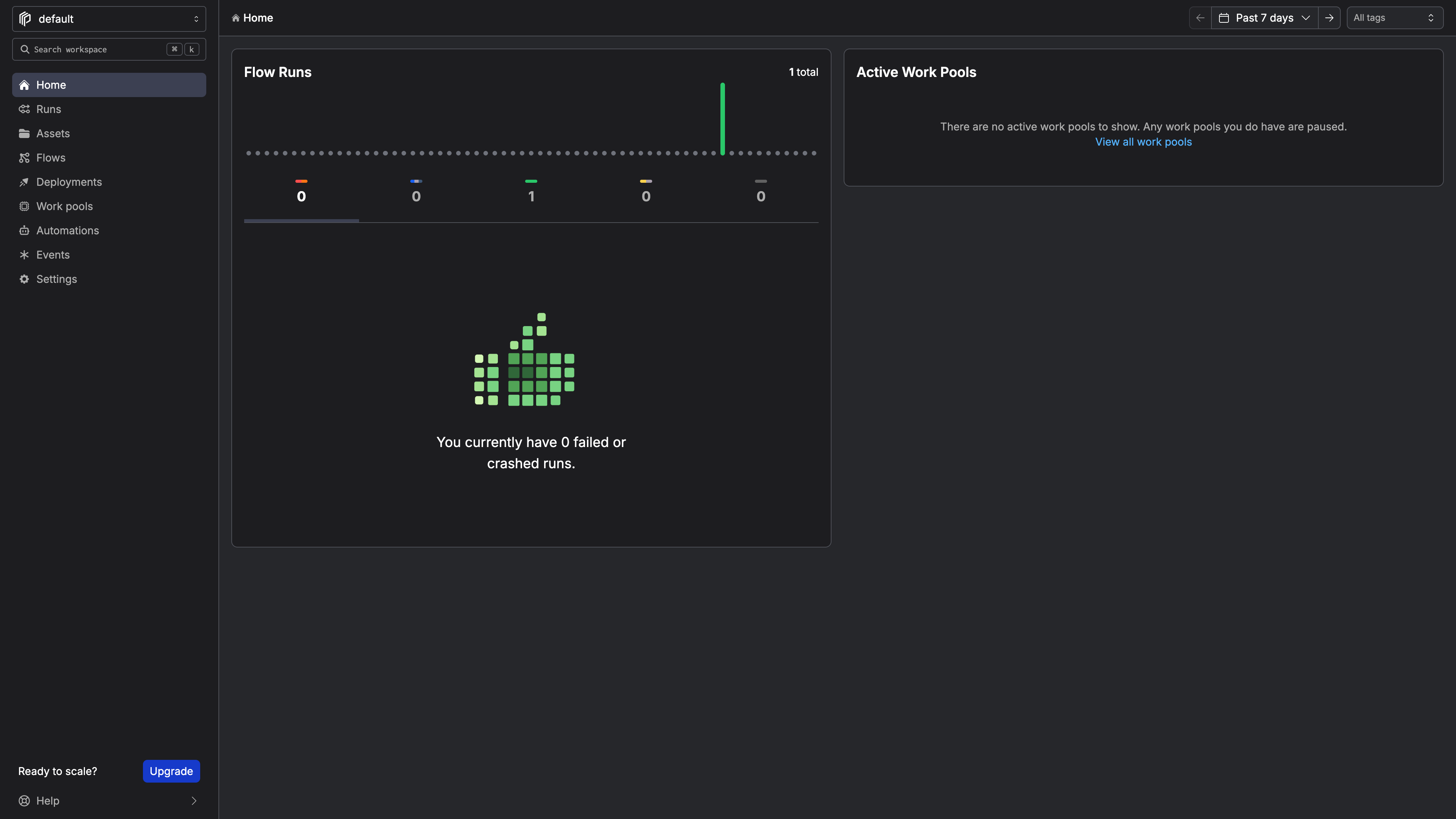
The Prefect Cloud dashboard after our first pipeline run.
Cloud Setup
The agent knew the right command (prefect cloud login) but couldn't run it. Claude Code's shell is non-interactive:
When not using an interactive terminal, you must supply a `--key` and `--workspace`.
The ! prefix (which runs a command directly in the Claude Code session) didn't help. Running login in a separate terminal didn't persist to the venv. The agent tried three approaches before the one that worked:
1. Sign up for Prefect Cloud

Go to https://app.prefect.cloud in your browser and create a free account
(Google/GitHub SSO or email).

2. Create an API key

Once logged in:
  - Click your profile icon (bottom-left) → API Keys
  - Click Create API Key, give it a name, and copy the key

3. Log in from CLI

Once you have the key, run this in your terminal (paste your actual key):

  ! source .venv/bin/activate && prefect cloud login -k YOUR_API_KEY
This approach is not ideal from a security perspective. This is Claude Code's fault, but it's worth noting as friction in the sign-up process ended with a clear API key pasted into a chat.
The local path would be a 4/4 on its own. Cloud drops it to 3 because account creation can't be automated and the agent tried three approaches before finding one that worked.
Integration
Can an agent instrument an existing pipeline with Prefect on the first try?
The Test: Instrument an Existing Pipeline
We had a 60-line pipeline: load CSV, fetch exchange rates, convert currencies, summarize by region, save report. The agent modified it in a single pass:
- Added
from prefect import flow, task, get_run_logger - Added
@taskto each of the five functions - Added
@flow(name="sales-pipeline", log_prints=True)to the orchestrator function - Added
retries=2, retry_delay_seconds=5to the exchange rate fetcher (the only function making an external API call) - Replaced all
print()calls withget_run_logger().info()for structured logging
First Run: All Five Tasks Completed
08:50:34.005 | INFO | Flow run 'fine-buzzard' - Beginning flow run for flow 'sales-pipeline'
08:50:34.017 | INFO | Task run 'load_sales_data-8ef' - Loaded 10 sales records
08:50:34.511 | INFO | Task run 'fetch_exchange_rates-5da' - Fetched exchange rates for 166 currencies
08:50:34.529 | INFO | Task run 'convert_currencies-d14' - Converted 10 records to EUR (rate: 0.866243)
08:50:34.535 | INFO | Task run 'summarize_by_region-fb3' - Regional summary: {'Asia': 4301.33, 'Europe': 1598.87, 'North America': 3283.06}
08:50:34.541 | INFO | Task run 'save_report-f3e' - Report saved to report.json
08:50:35.018 | INFO | Flow run 'fine-buzzard' - Finished in state Completed()
All five tasks completed successfully and the logs were visible in the cloud dashboard immediately.
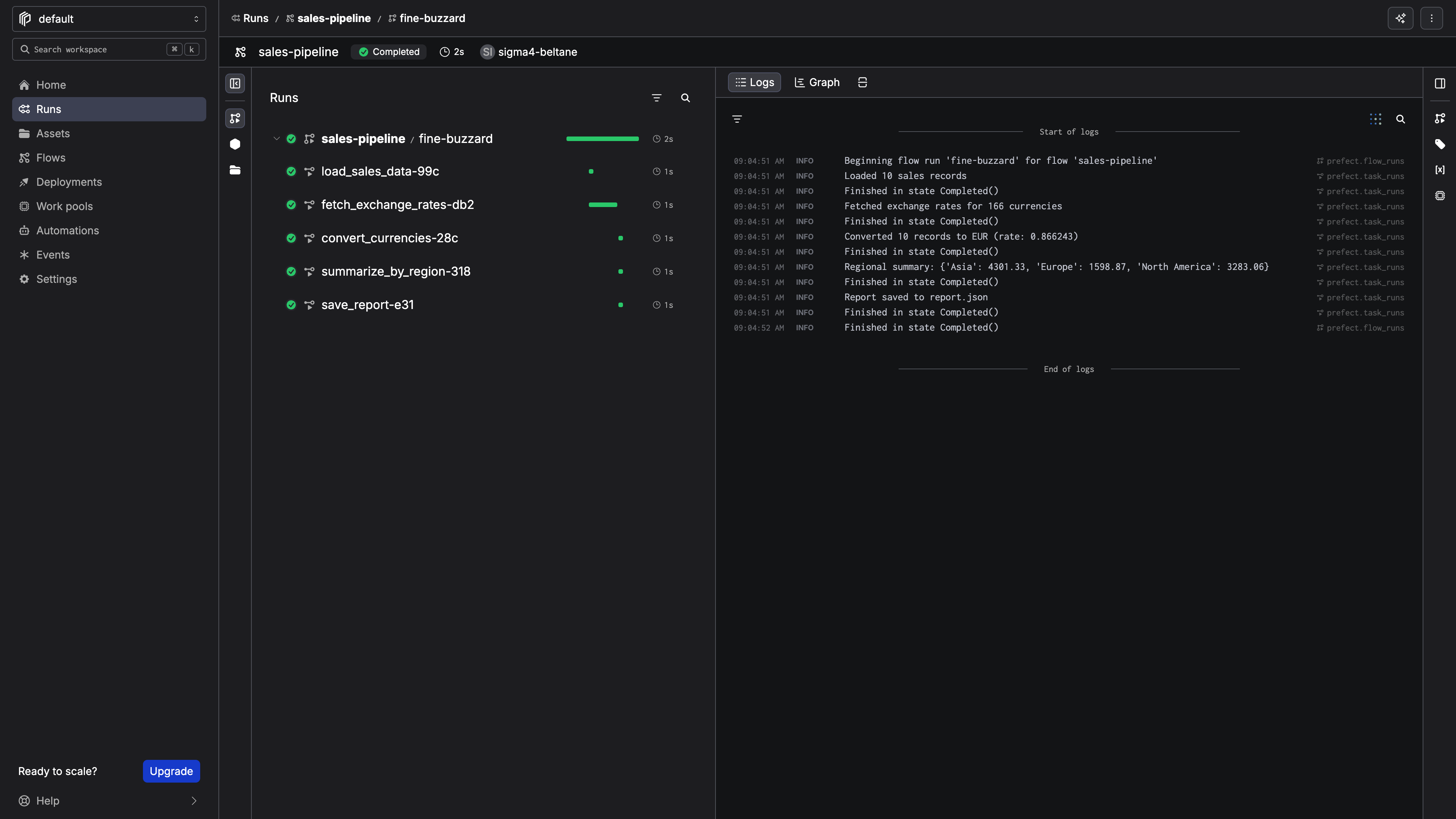
The flow run detail page in Prefect Cloud with structured logs showing each step of the pipeline.
The Prefect decorator-based API is a good fit for agent integration as the agent only has to add decorators to existing functions and the pipeline works as before.
Agent Tooling
Does Prefect provide MCP servers, skills, or other agent-native interfaces that actually work?
The MCP Server
The agent found and installed the official MCP server:
claude mcp add prefect \
  -e PREFECT_API_URL=https://api.prefect.cloud/api/accounts/ACCOUNT_ID/workspaces/WORKSPACE_ID \
  -e PREFECT_API_KEY=pnu_YOUR_KEY \
  -- uvx --from prefect-mcp prefect-mcp-server
After restarting, the MCP exposed 14 tools covering monitoring (get_dashboard, get_flow_runs, get_flow_run_logs, etc.) and reference (docs_search_prefect, get_object_schema). We queried the dashboard and got a complete picture of our workspace: flows, runs, plan details, identity.
The catch:
This is a read-only server. For mutations, use the CLI.
The agent can monitor and debug but cannot trigger runs, create deployments, or set schedules. For mutations it falls back to the CLI.
The llms.txt: Undiscoverable and Impractical
The agent checked prefect.io/llms.txt first, which returned a 404, so it concluded Prefect has no llms.txt and moved on. Only after a human prompted it did it find docs.prefect.io/llms.txt and docs.prefect.io/llm-full.txt.
The files are not in an ideal format. The main companion file: llms-full.txt is approximately 137,000 tokens. That would consume most of an agent's context window. Also, according to claude, it is incomplete, covering mainly contributor guides and AWS integration docs while missing core content on flows, tasks, and deployments.
Skills: None
No official or community Prefect skill exists that Claude could find.
OpenAPI Spec
Prefect Cloud exposes a full OpenAPI 3.1.0 spec at api.prefect.cloud/api/openapi.json. An agent could use the REST API for mutations, but raw API calls are significantly more friction than an MCP tool or skill.
What the Scores Add Up To
Prefect scores 3.25/4. The product is agent-friendly by design, but the tooling layer has some room for growth.
What Would Move the Scores
- Add write operations to the MCP server so agents can act on what they observe
- Publish a right-sized
llms.txtonprefect.iowith curated content that fits a typical context window - Publish a Claude Code skill for deployments, runs, and schedules
- Default
--workspacewhen the account has only one, so non-interactive login works with just--key
Want help understanding and fixing the AX of your own technical product or platform? At Ritza our Engineering Writers work at agent speed with human-expert verification (no slop) to win at GTM.