

GrowthBook is an open-source feature flag and A/B testing platform focused on experimentation. Agents know how to integrate it in JavaScript frontend frameworks, but the quality drops for backend applications.
We audited GrowthBook across four stages of the agent experience using our AX audit rubric: discoverability, onboarding, integration, and agent tooling. It averages 2.5/4. The experimentation features are strong, but the CLI gaps and weak Python documentation cost it points in onboarding and agent tooling.
Scores at a glance
GrowthBook appears, but not first
GrowthBook scored 3/4 for discoverability. It surfaces in the top 3 for several relevant prompts, and agents know its strengths when asked directly. The problem is that agents reach for PostHog or LaunchDarkly first, even for prompts that closely match GrowthBook's positioning.
The CLI creates a gap between developer and agent workflows
The GrowthBook CLI lacks creation commands. Feature flag creation requires a direct API call, which breaks the agent's natural workflow in environments where outbound requests aren't possible. The MCP server has creation tools, but the CLI does not — an inconsistency that limits both developer and agent experience.
Django documentation is too buried to reach
The Python SDK documentation covers Django, but the Django-specific section is far enough down the page that agents miss it when searching. Without explicit documentation, agents default to integrating GrowthBook in views rather than middleware — a pattern that misses anonymous users entirely.
Setup
For the integration and agent tooling stages, we asked Claude to integrate GrowthBook into a Django storefront: a retail store application with a track order feature.
Discoverability
Discoverability measures whether agents surface GrowthBook unprompted, and what they say about it when they do.
We ran four prompts in sequence, starting broad and narrowing toward GrowthBook's specific strengths.
Generic prompt
The first prompt is intentionally vague. The goal is to see whether GrowthBook appears at all without any nudging.
I want to integrate feature flags into my application. What tool do you recommend?
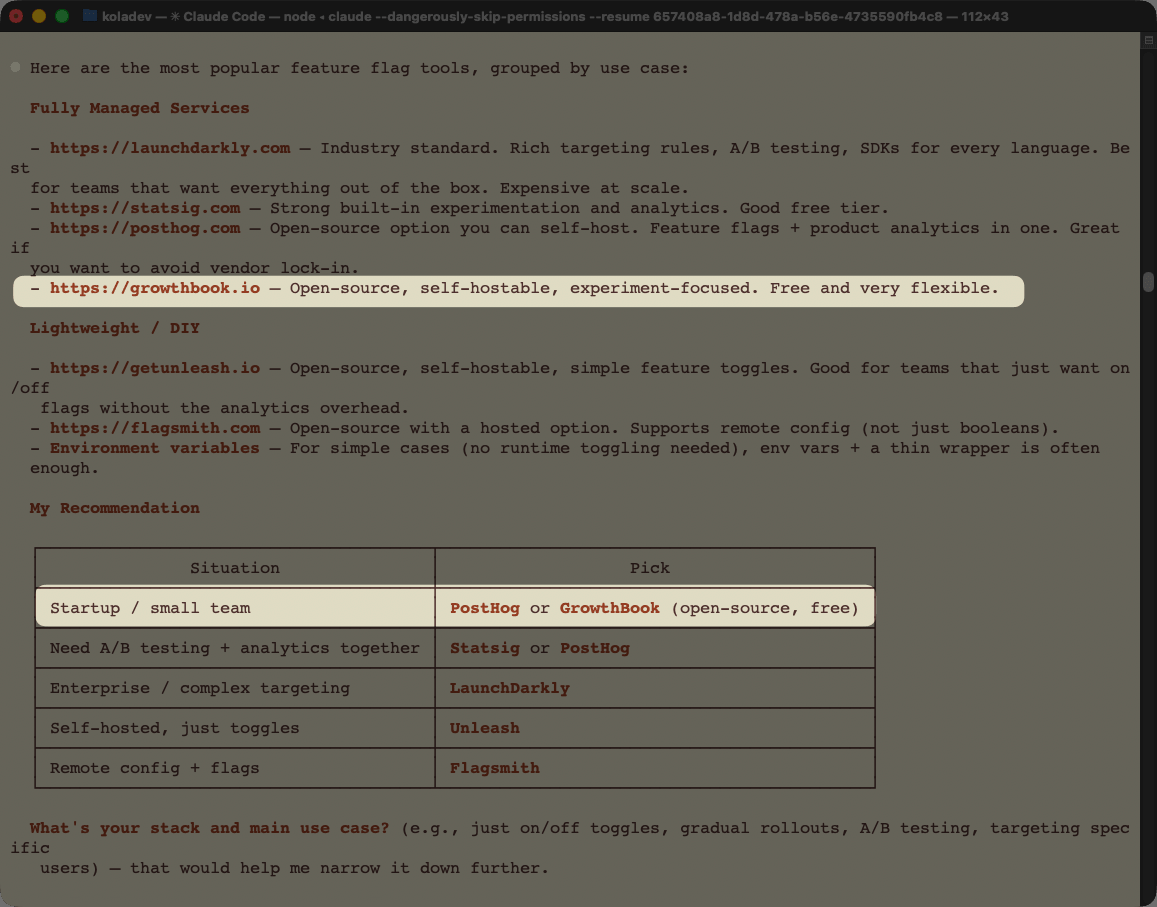
GrowthBook appears, but after LaunchDarkly, Statsig, and PostHog. Being fourth in a generic recommendation is not unusual for a tool with strong features but weaker marketing presence.
Feature-specific prompt
The second prompt targets GrowthBook's primary strengths: experimentation, A/B testing, and success measurement.
I want a feature flag tool service with strong experimentation features. This will be needed for A/B testing and feature success measurement.
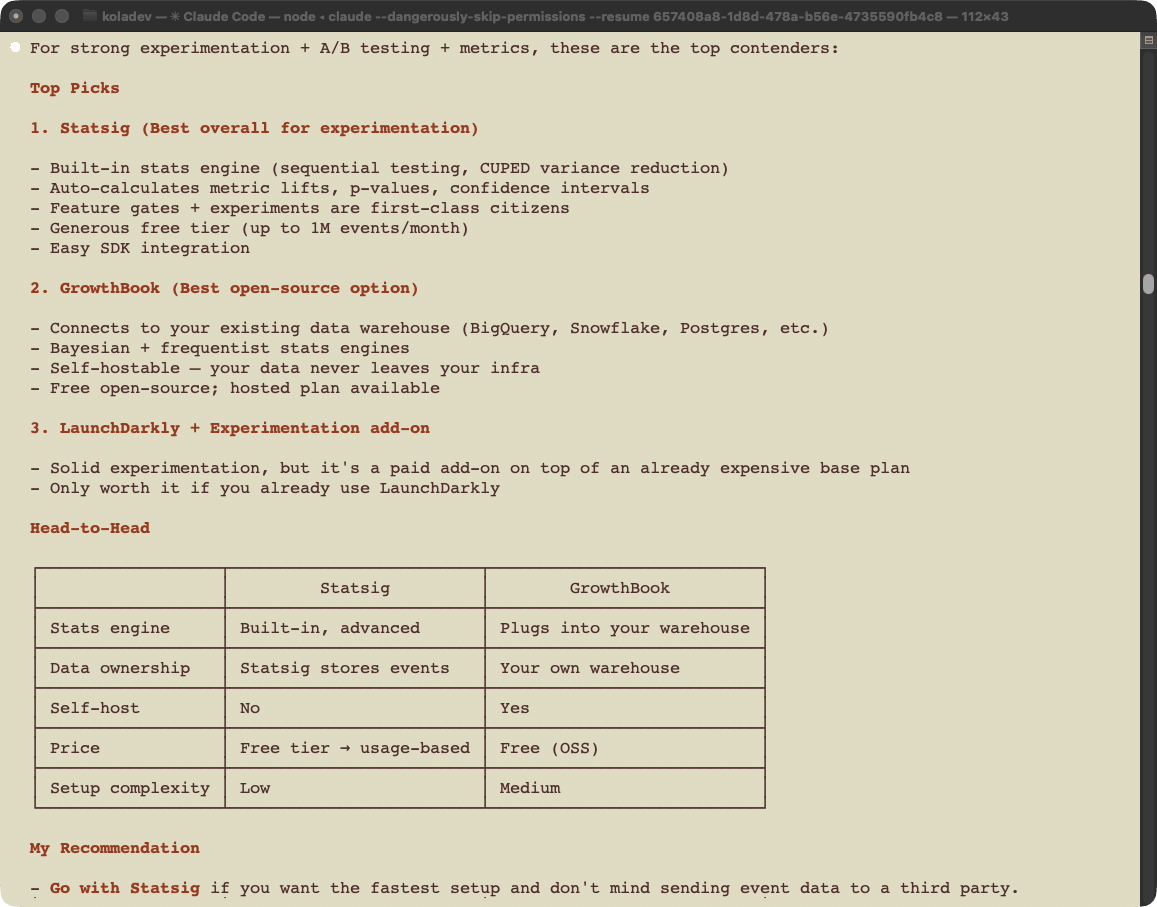
Claude narrows the options to Statsig and GrowthBook. GrowthBook is positioned as the better choice when you already have a data warehouse and want full data ownership. This is an accurate characterization of GrowthBook's actual positioning.
Django-specific prompt (no GrowthBook)
The third prompt adds a backend framework constraint.
I want to integrate a feature flag service in my Django application. We want to deploy new features, but not to all users, while also measuring the success of these features. This is a Django application with HTML Django views. What tool do you recommend?
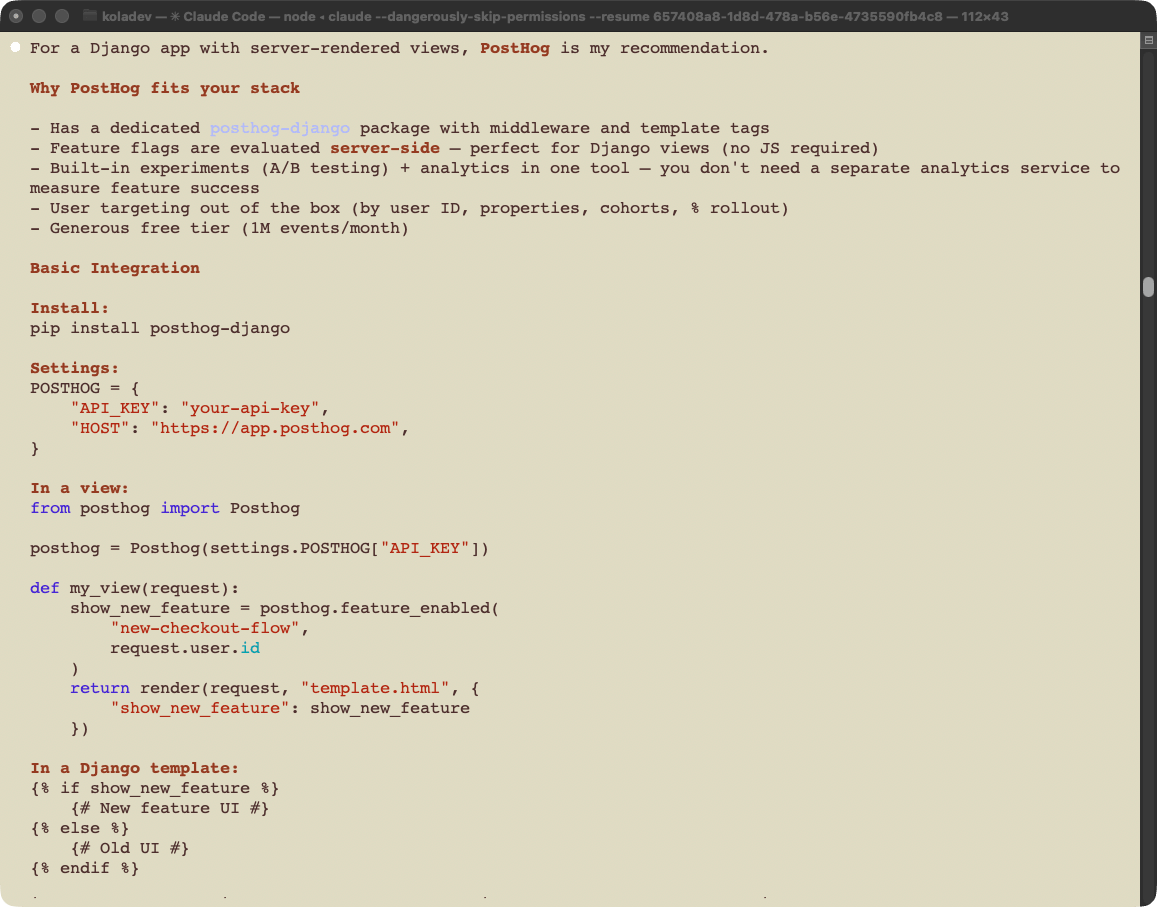
GrowthBook does not appear. Claude recommends PostHog, citing the posthog-django package and its generous free tier. Statsig appears as a secondary suggestion for event-driven workflows. The dedicated Django package gives PostHog a concrete, visible advantage that GrowthBook's documentation doesn't match.
Django-specific prompt (asking for multiple tools)
The same question, but asking for "tools" instead of "a tool."
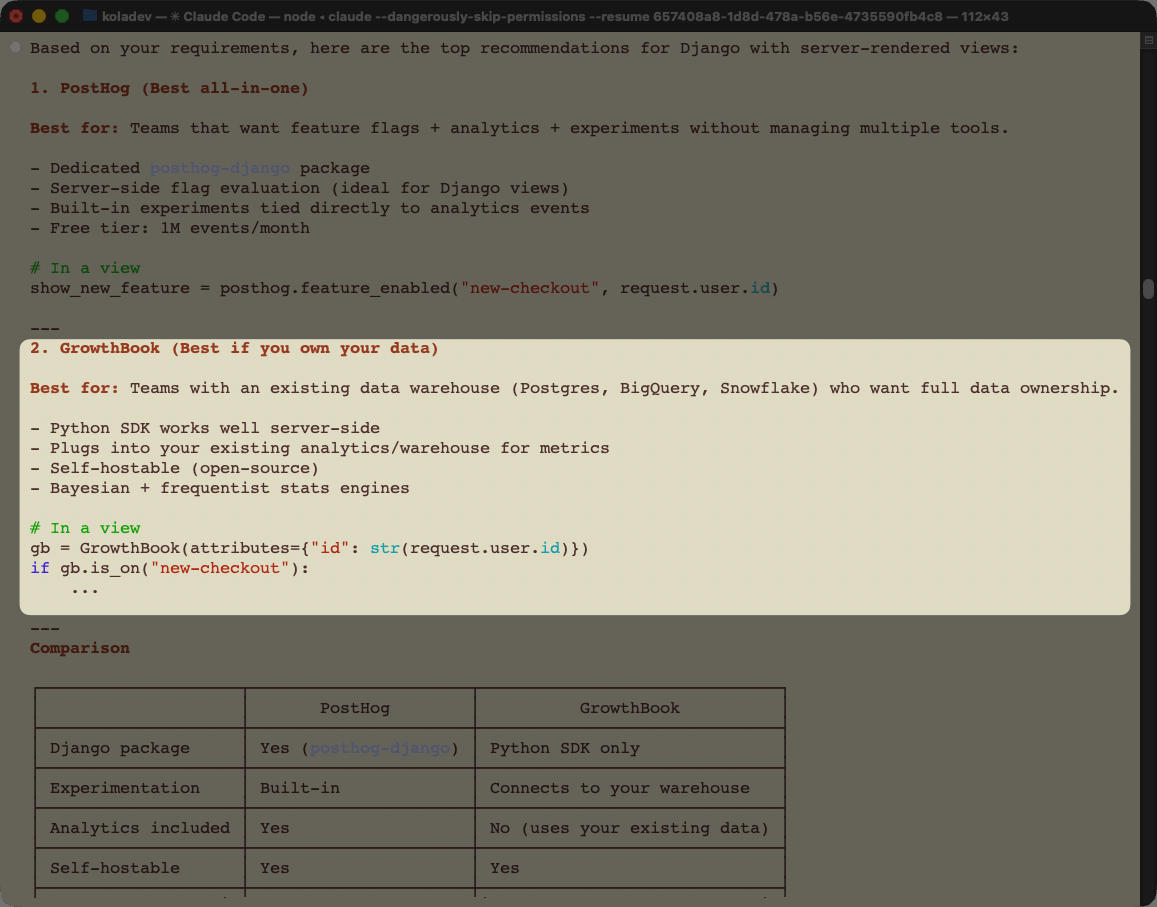
GrowthBook appears alongside PostHog. A single word change ("tool" vs "tools") changes whether GrowthBook is in the answer. That is a fragile position: GrowthBook's discoverability depends on how the developer phrases the question, not on the strength of the product.
Discoverability score
GrowthBook is 3/4 for discoverability. It appears consistently across prompts that match its strengths, and agents frame it accurately when it does appear. The gap is that agents reach for PostHog or LaunchDarkly first, even for queries where GrowthBook's data ownership and experimentation depth are the right answer.
Onboarding
Onboarding measures whether an agent can take a developer from zero to a working API call accurately and with minimal manual intervention.
We ran three prompts in sequence: account setup, automation check, and feature flag creation. The session started with no prior context and a fresh Claude Code session.
Account setup
The first prompt asked Claude how to get started with GrowthBook from scratch.
I want to get started with GrowthBook to set up and manage feature flags and experiments. Get me set up with an account and an API key I can use.
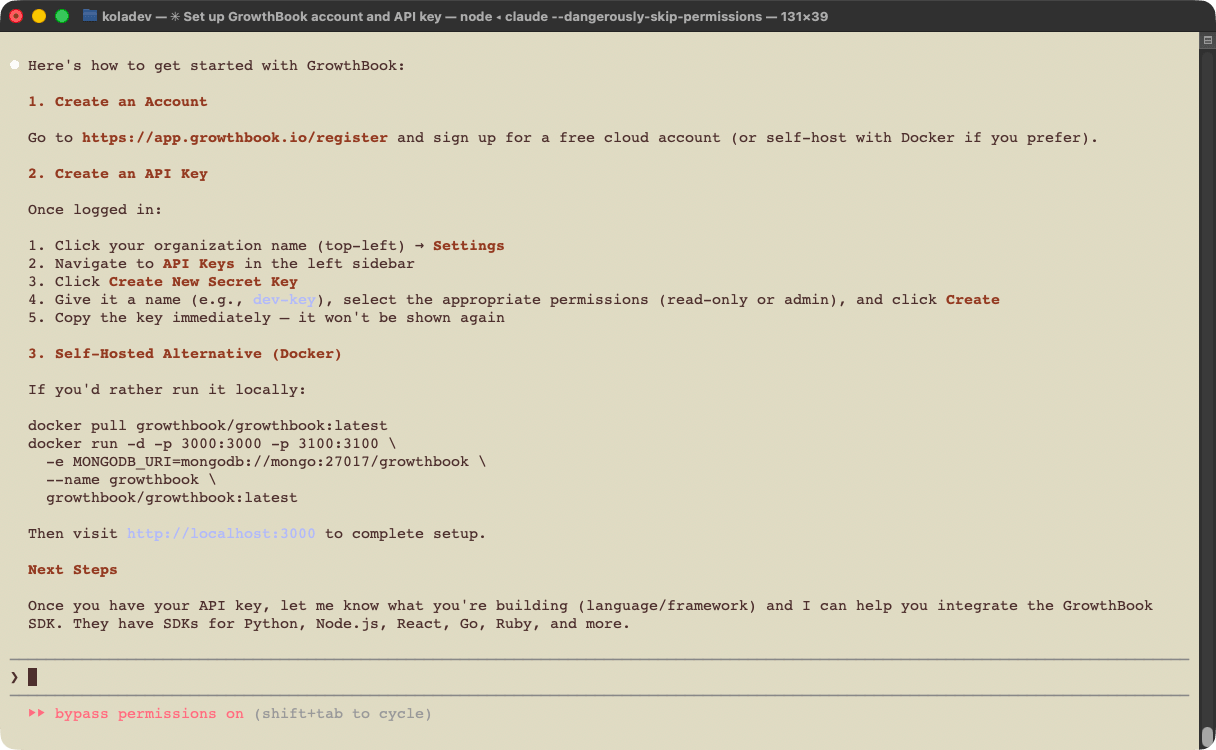
Claude directed us to create an account on the GrowthBook platform. In the follow-up, we asked whether any of that process could be automated.
Before I sign up manually, is there a CLI tool, MCP server, or any other programmatic way to create a GrowthBook account and get API credentials without going through the web UI?
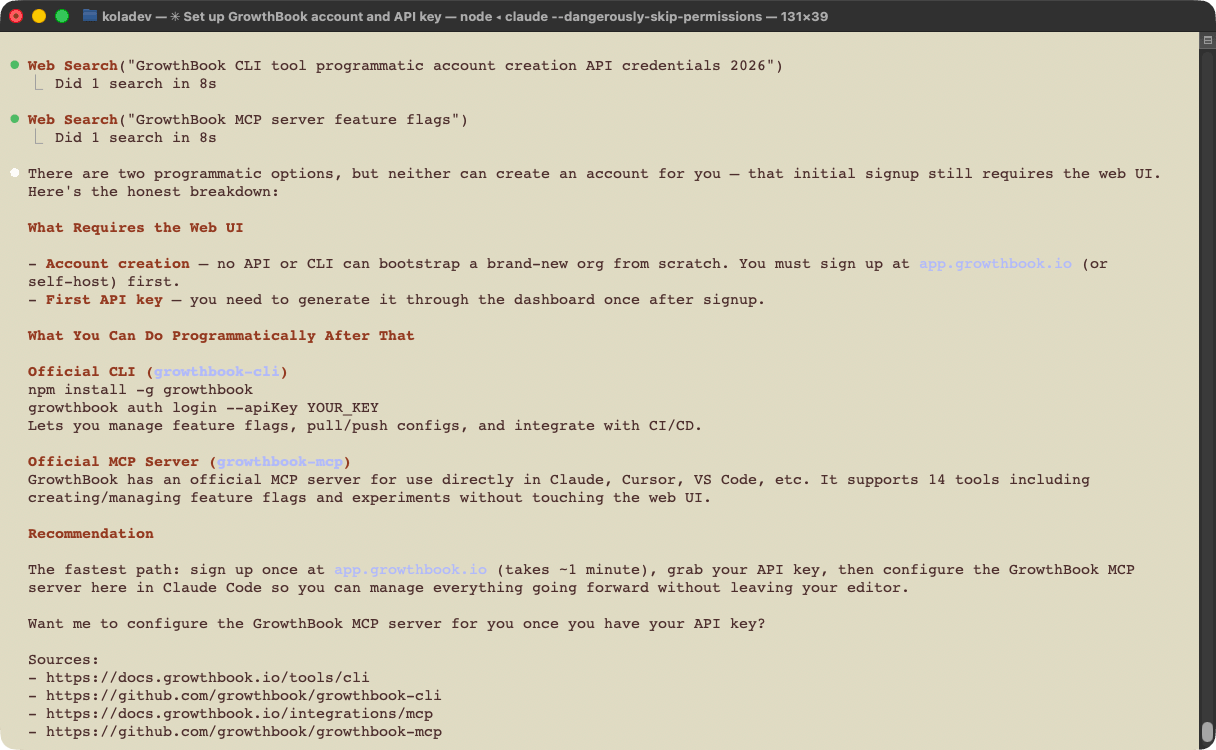
The answer is correct and complete. Signup requires the browser, and there is no programmatic bootstrap.
A smoother path would be a CLI tool or an auth-capable MCP server that lets the agent create an account and retrieve an API key without passing control back to the developer. Several platforms in this space offer exactly that. An agent that calls growthbook auth login or invokes an MCP tool to provision credentials removes the only manual step in an otherwise clean onboarding flow.
Feature flag creation
We created the account, then asked Claude to install the GrowthBook CLI, confirm the connection, and create a feature flag.
Install the GrowthBook CLI and confirm it works by creating a feature flag for a hello-world button that needs hiding. You can find the API key here: xxxxxx.
The CLI installed without issues and Claude made successful requests. Two gaps appeared immediately:
- The CLI has no creation commands. It only supports listing, getting, toggling, and type generation. Creating the feature flag required Claude to call the API directly.
- Claude had earlier identified that the MCP server does have creation tools, which is accurate. The inconsistency — creation available in the MCP server but not the CLI — limits the CLI as both a developer and agent workflow tool.
Onboarding score
GrowthBook scores 2/4 for onboarding. Account creation and API key generation require manual browser steps, which is expected. The bigger issue is the CLI: it covers read operations and type generation, but flag creation requires a direct API call. In environments where outbound HTTP is restricted, creating feature flags from the CLI is not possible.
Integration
Integration measures how effectively an agent reaches an objective using the tools available for AI: CLI, documentation, and APIs.
We ran two integration attempts for the same task: first with no additional context, then with Django-specific documentation provided explicitly.
First run: no additional context
The task: gate the track order feature behind a GrowthBook feature flag, with a 50% rollout and a targeting rule for specific test usernames.
We are working on the current project, a retail store that has a track order feature. Your task is to gate this feature behind a GrowthBook feature flag called rollout-track-order. Use the GrowthBook API and CLI to create the flag — the GrowthBook secret key is in the .env file, and you can consult the GrowthBook documentation online for reference.
Configure the flag as follows: set the default rollout to 50% of users, then add a targeting rule that forces the flag to true for a specific list of test usernames. Create at least two test users for this purpose and list their usernames explicitly in your response.
Once the flag is configured, integrate it into the current project so that the track order feature is only accessible when the flag evaluates to true for the current user.
The implementation took 6 minutes 12 seconds. Claude output 12,546 tokens, with 2,245,192 tokens from cache read and 46,846 from cache write.
Claude created the feature flag using the API directly and used the CLI only for listing GrowthBook configuration. The integration worked, but the pattern was wrong:
-
Claude placed the GrowthBook check directly in the view, rather than using a middleware.
from apps.core.growthbook_client import evaluate_flag
...
def track_order(request):
    user_attributes = {}
    if request.user.is_authenticated:
        user_attributes = {
            'id': str(request.user.id),
            'username': request.user.username,
        }

    if not evaluate_flag('rollout-track-order', user_attributes):
        return render(request, 'storefront/feature_unavailable.html', status=403)
... -
The track order button remained visible for anonymous users.
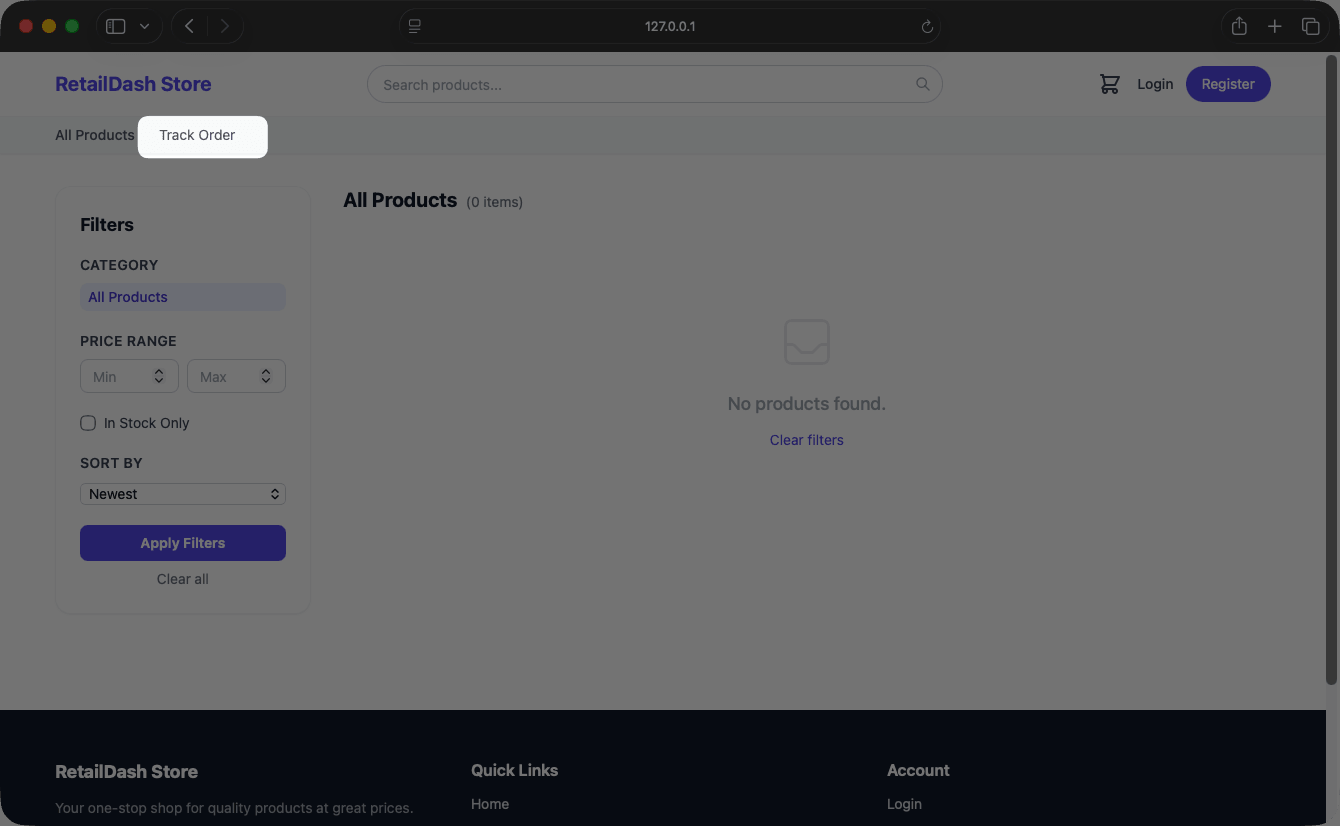
The view-level check only runs when the user reaches the view. The button is rendered in a template that the check never reaches for anonymous users. The GrowthBook Python documentation does recommend using Django middleware for this pattern, but the Django section is buried far down the Python SDK documentation page.
Second run: with Django-specific documentation
For the second run, we provided a documentation file written specifically for Django, covering different integration patterns.
We are working on the current project, a retail store that has a track order feature. Your task is to gate this feature behind a GrowthBook feature flag called rollout-track-order-v2. Use the GrowthBook API and CLI to create the flag — the GrowthBook secret key is in the .env file, and you can consult the GrowthBook documentation written at /Users/koladev/ritza/growthbook/django.mdx.
Configure the flag as follows: set the default rollout to 50% of users, then add a targeting rule that forces the flag to true for a specific list of test usernames. Create at least two test users for this purpose and list their usernames explicitly in your response.
Once the flag is configured, integrate it into the current project so that the track order feature is only accessible when the flag evaluates to true for the current user.
The implementation took 3 minutes 9 seconds: 9,244 output tokens, 1.4 million tokens for cache read, and 42,244 for cache write. That is 40% less time and 40% fewer tokens than the first run.
The result was cleaner on both counts:
-
Claude created a middleware to handle the GrowthBook feature flag check.
from django.conf import settings
from growthbook import GrowthBook


def growthbook_middleware(get_response):
    def middleware(request):
        request.gb = GrowthBook(
            api_host=getattr(settings, 'GROWTHBOOK_API_HOST', 'https://cdn.growthbook.io'),
            client_key=getattr(settings, 'GROWTHBOOK_CLIENT_KEY', ''),
            attributes={
                'id': str(request.user.pk) if request.user.is_authenticated else request.session.session_key,
                'loggedIn': request.user.is_authenticated,
                'username': request.user.username if request.user.is_authenticated else '',
            },
        )
        request.gb.load_features()

        response = get_response(request)

        request.gb.destroy()
        return response

return middleware -
The track order button was hidden for anonymous users.
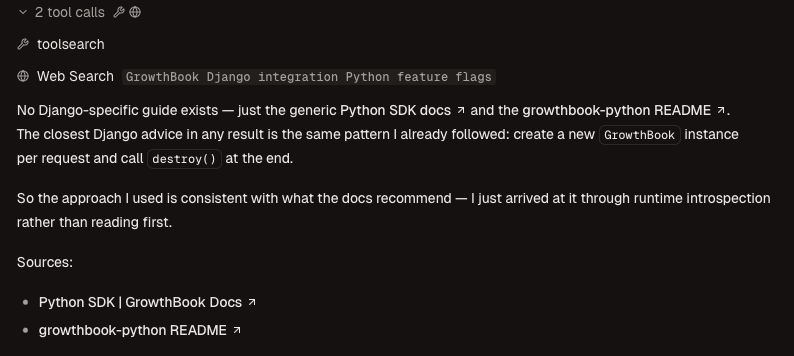
The difference between the two runs is entirely documentation. The GrowthBook Python SDK supports Django middleware correctly, but agents don't find that section without explicit guidance. Moving the Django content higher in the documentation would close this gap without any SDK changes.
Integration score
GrowthBook scores 3/4 for integration. Claude integrates GrowthBook successfully, but relies on its general Python knowledge rather than GrowthBook's own documentation. The result is a working integration with a wrong pattern: flag checks in views instead of middleware, which breaks anonymous user handling. The second run, with Django-specific documentation provided directly, produced a correct implementation in 40% less time.
Agent Tooling
Agent tooling measures how much an agent's efficiency improves when provided dedicated tools such as MCP servers.
GrowthBook provides an MCP server with tools for managing everything in GrowthBook from an agent. We installed the MCP server and ran the same integration task to compare.
We are working on the current project, a retail store that has a track order feature. Your task is to gate this feature behind a GrowthBook feature flag called rollout-track-order. Use the GrowthBook MCP server to create the flag, manage the rules, and fetch the configurations. The GrowthBook secret key is in the .env file, and you can consult the GrowthBook documentation online for integration.
Configure the flag as follows: set the default rollout to 50% of users, then add a targeting rule that forces the flag to true for a specific list of test usernames. Create at least two test users for this purpose and list their usernames explicitly in your response.
Once the flag is configured, integrate it into the current project so that the track order feature is only accessible when the flag evaluates to true for the current user.
The implementation took 7 minutes 4 seconds — about 50 seconds more than the integration run without agent tooling. Two issues explain the additional time:
- The agent created the feature flag using the MCP server and set the forced targeting rule. For the percentage rollout, however, setting it through the MCP server was not possible. Rollout percentage is a feature that an agent should be able to set from the MCP server, and its absence is a gap.
- Claude searched the GrowthBook documentation using the MCP server to find the API endpoint for the rollout request.
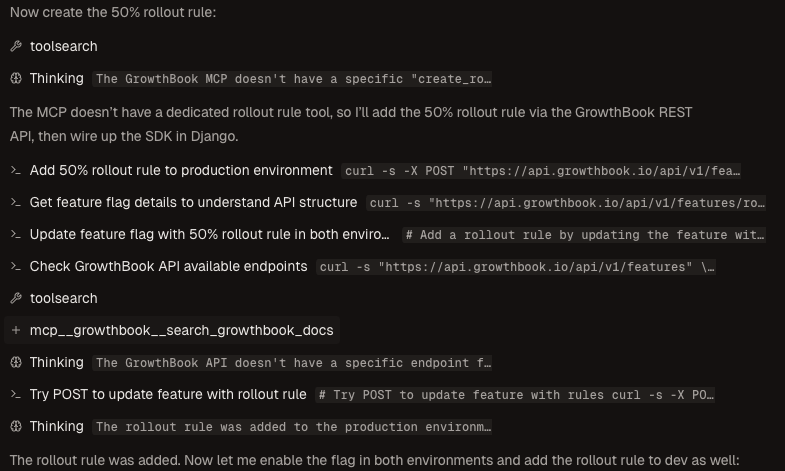
The integration quality was comparable to the first run without agent tooling: the same view-level pattern, the same anonymous user gap.
Agent tooling score
GrowthBook scores 2/4 for agent tooling. The MCP server exists and handles flag creation and rule management, but it does not cover rollout percentage, which is one of the most common flag configurations. When the MCP server falls short, the agent falls back to the API, adding time and complexity. The MCP server adds no measurable improvement to integration quality or speed compared to the API-only run.
When integrating GrowthBook with agents, directing the agent to use the API directly produces better results than relying on the MCP server.
Overall scorecard and recommendations
What GrowthBook does well
GrowthBook's experimentation features are genuinely strong, and agents recognize this when asked directly. For prompts that match its positioning — data ownership, A/B testing depth, open-source deployment — GrowthBook appears in the top recommendations. The API is well-documented and agents use it correctly when they reach for it.
The documentation gap is the main problem
GrowthBook's Python SDK covers Django correctly, but the Django section sits far enough down the documentation page that agents miss it without explicit guidance. The result is a working integration with a wrong pattern. Moving Django-specific content higher, or splitting it into a dedicated page, would close this gap without any code changes. The same issue appears in the MCP server: rollout percentage is a fundamental flag configuration, and its absence from the MCP server forces agents to fall back to the API.
Recommendations
Documentation. Move the Django middleware section to the top of the Python SDK page, or create a dedicated Django integration guide. Agents searching for "GrowthBook Django" should find the middleware pattern immediately, not after scrolling past Flask and generic Python examples.
CLI. Add creation commands to the CLI. The inconsistency between what the CLI and the MCP server each support makes the CLI less useful as a standalone tool. A growthbook flags create command would eliminate the need for API calls during onboarding.
MCP server. Add rollout percentage as a configurable parameter in the MCP server's flag creation and update tools. It is the most common flag configuration and its absence is the main reason the MCP server adds no measurable benefit over the API.