
Replit vs Amp: What $20 Gets You
I live in VS Code. It's where I'm comfortable, and I've never had a good reason to leave.
Then these browser-based vibe-coding platforms started getting interesting, and I wanted to know what I was actually giving up to use one. So I put Replit and Amp against each other on the same task: build me a stargazing conditions app from a single plain-English prompt, with no tech stack specified. I added notes, auth, cross-device sync, and deployed both.
Total cost: $15.57 for Replit, $7.83 for Amp.
One of the two apps this article produced. Built autonomously, deployed, live.
You can see them yourself:
I went in a little biased. I spend most of my working day in VS Code and I have strong opinions about my environment. Replit, with its browser-based vibe-coding environment, had a lot of convincing to do. This is every prompt and every dollar spent finding out if it could.
The tools
Amp is a panel in my VS Code sidebar, sitting alongside everything else I already use.
Replit is a different kind of thing. I open it in the browser and the first thing it says is "Hi James, what do you want to make?" No file tree, no terminal in sight.
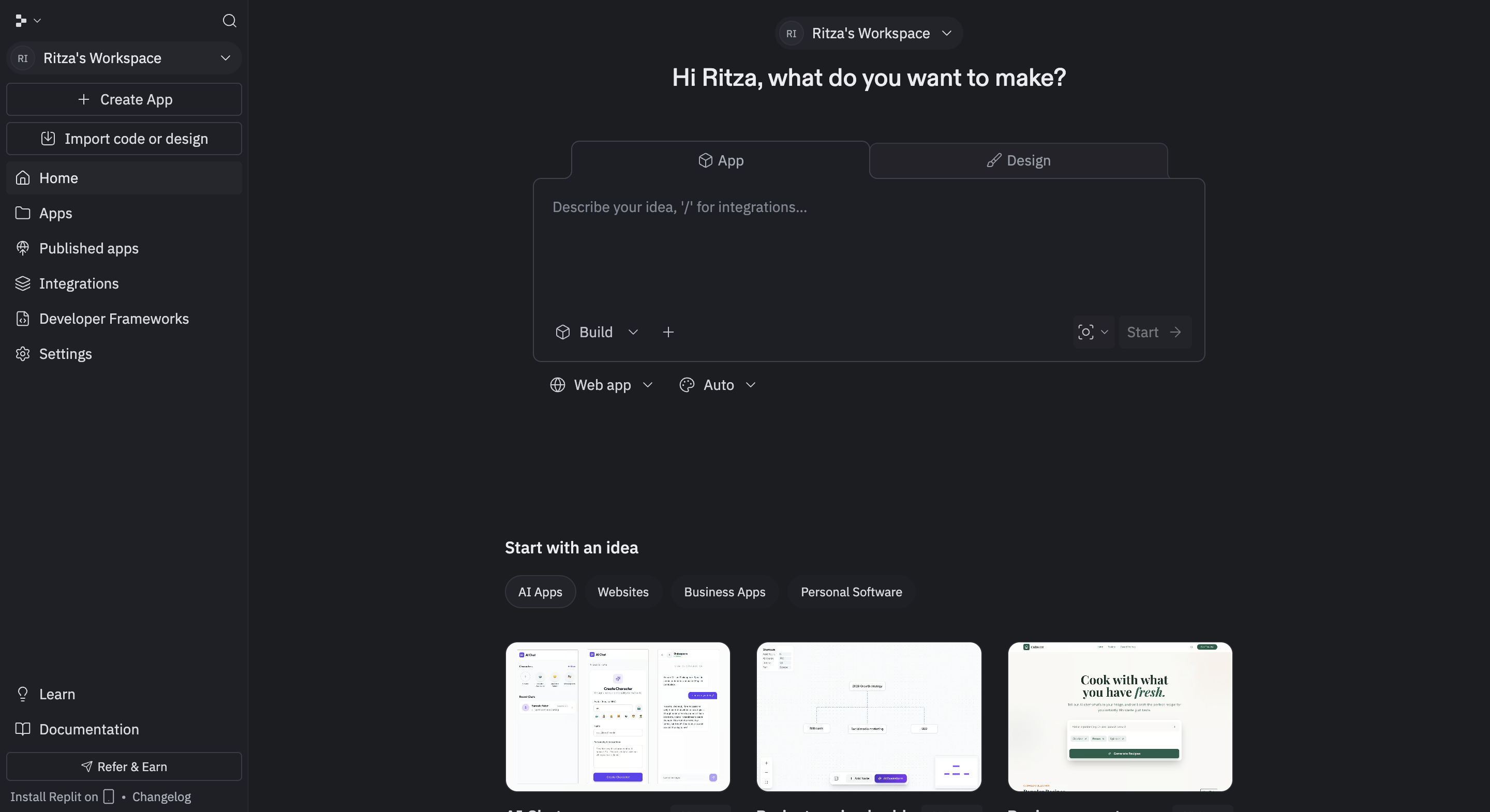
Replit's chat-first entry point. No file tree until the agent creates one.
As I poke around, I keep noticing things I'd normally have to assemble myself. There are pre-built framework stacks for Python, Node, React, and more.
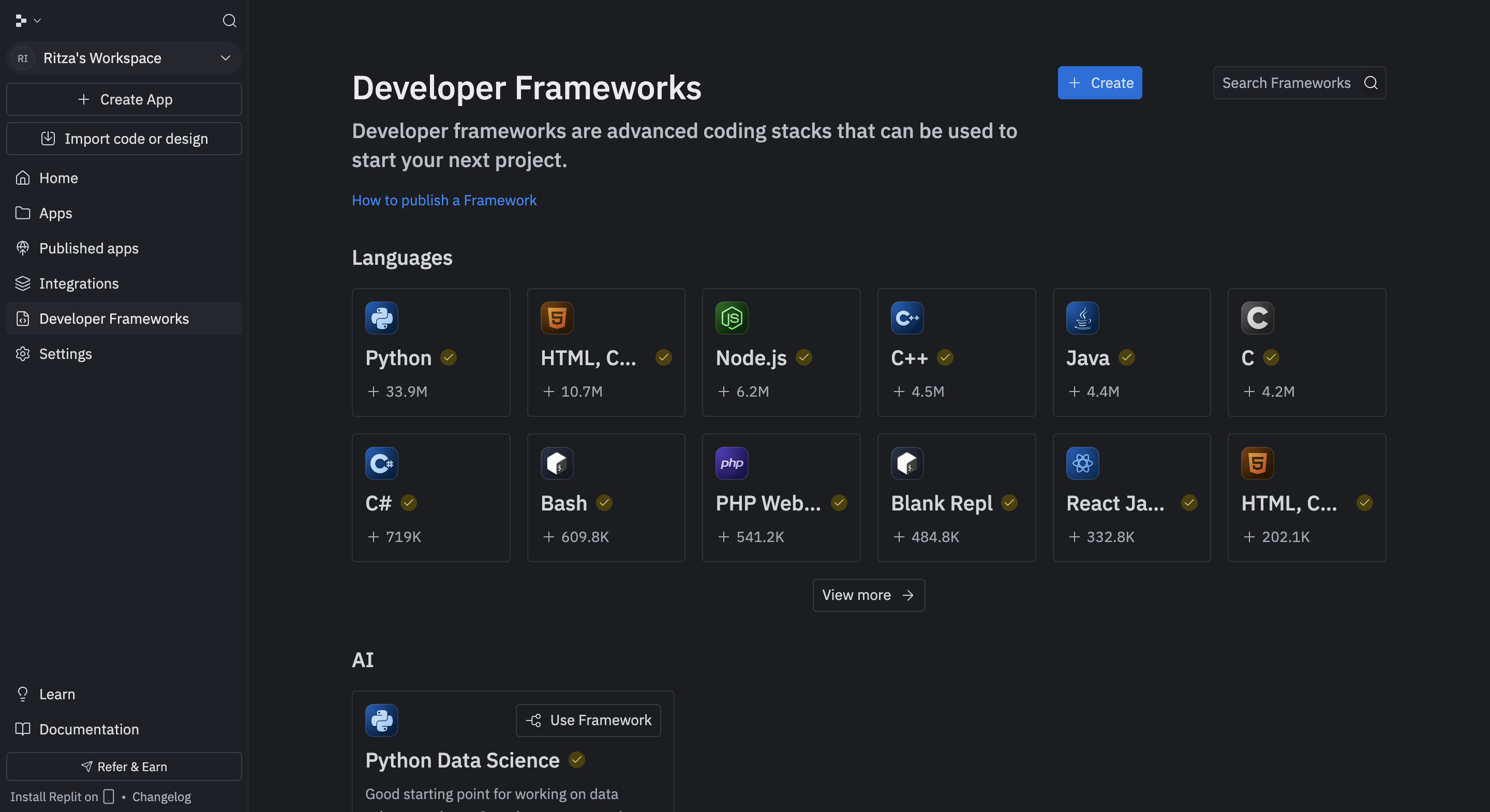
Pre-built stacks to get started from, before you've typed a single prompt.
Keep clicking and there's a full managed backend: database, auth, and object storage, all zero-config, all in the same browser tab.
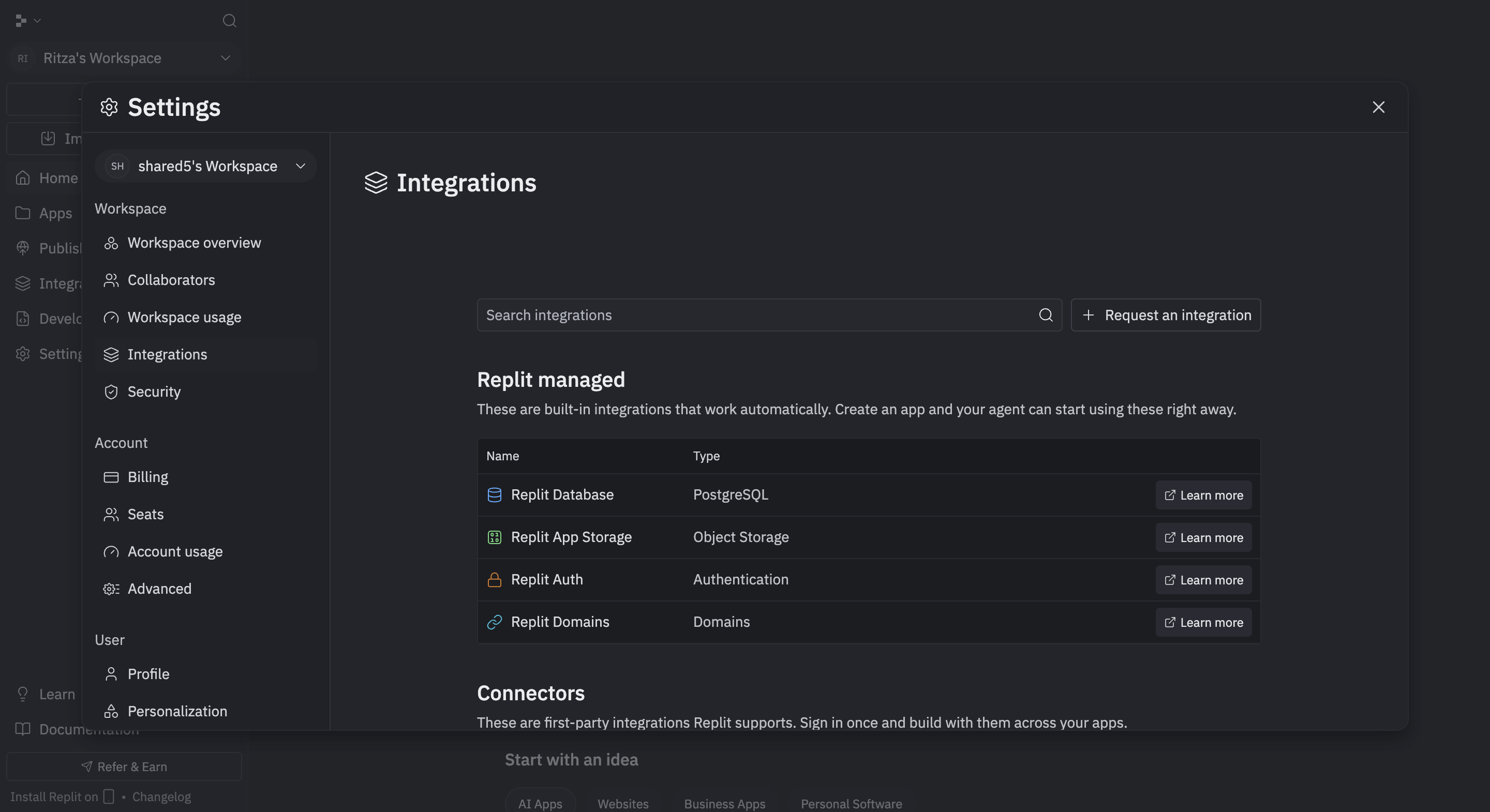
Everything under "Replit managed" activates automatically when the agent needs it.
Amp is the opposite of all this. A blank input in your existing editor, nothing else.
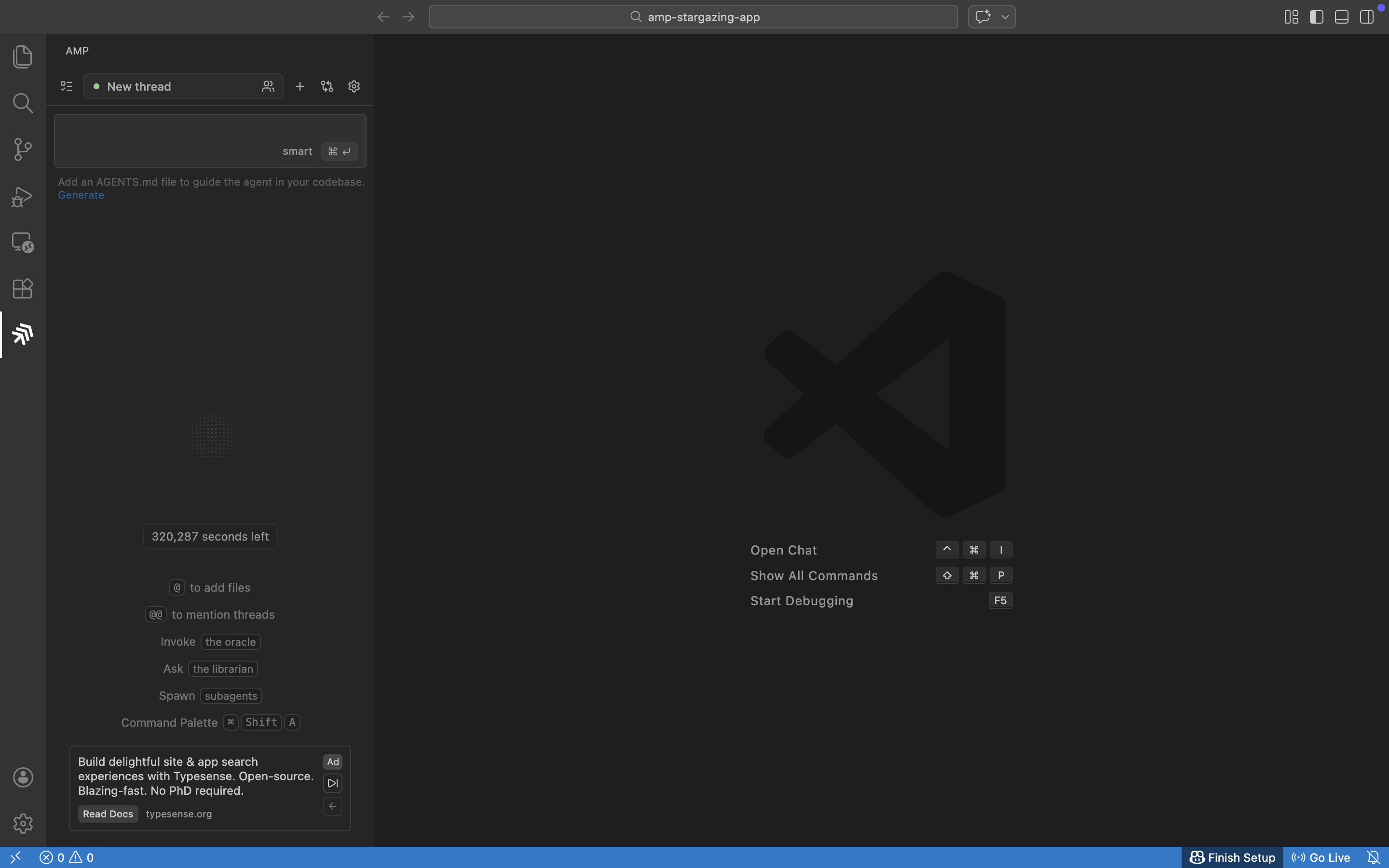
A blank input in your existing editor.
Pricing
Replit is $20 per month, which includes $25 in monthly AI credits that don't roll over. There's no cost estimate before a session runs, so you find out after. The $20 is an entry price, not a spending limit.
Amp is pay-as-you-go at cost with no markup. New users get $10 in free credits, and there's a daily $10 free grant for existing users that covers typical sessions at no charge. It runs Claude Opus 4.6. Replit runs Sonnet 4.5.
Test 1: build me a stargazing app
I give both tools the same prompt, with no stack or tech preferences specified:
❯ Build me a stargazing conditions app. When the user opens it, it should ask for their
location. Then it should show them tonight's conditions for stargazing — things like cloud
cover, visibility, moon phase, and anything else relevant to whether the sky will be clear.
What celestial objects are currently visible or will be visible tonight from their location
— planets, notable objects, anything worth pointing a telescope at. And a calendar view so
they can browse upcoming nights and see the conditions for each date. It should look good.
It should feel like a real app, not a demo. Use whatever APIs and tools make the most sense.
Same prompt, same constraints. What each tool does next is its own call.
How they build
Replit reads the prompt and starts. I can see a reasoning trace in the chat panel but I'm not making any decisions. It sets up a Drizzle ORM schema and a Node/Express backend before a single UI component exists, because it decided this app would need a database. Nobody asked for a database.
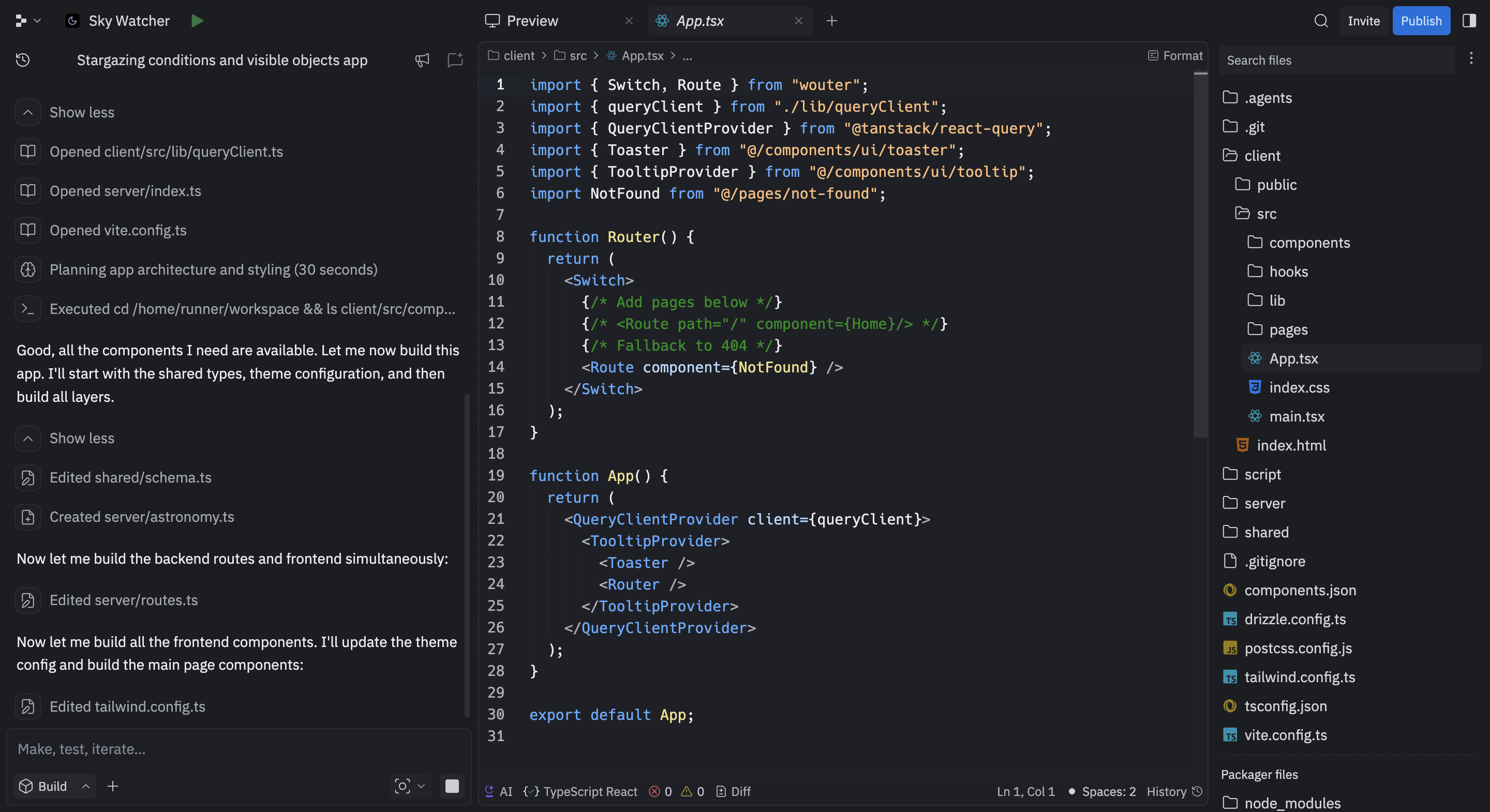
Replit's reasoning trace mid-build. No decisions required from me.
Amp's first move is a visible thinking phase where it shows me its reasoning before touching the filesystem. Then it tries to run npm create vite@latest, stops, and asks permission.
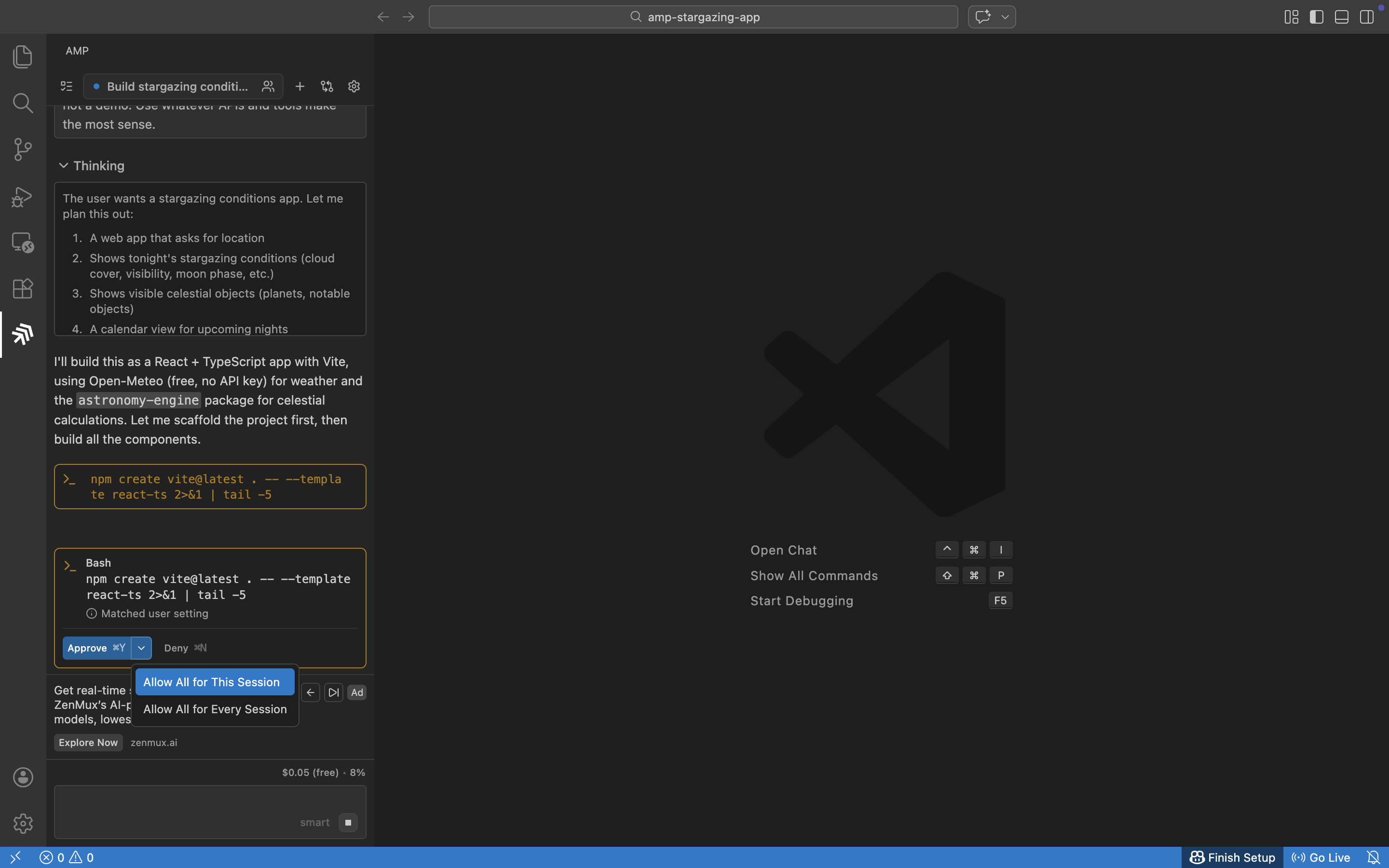
One gate, then it runs freely. Replit never asked anything.
Amp asks for permission before executing actions because it runs in your environment. Replit never asked because it owns the environment already.
Replit finishes in 13 minutes. It renames the app mid-build with no explanation, runs a code_review skill unprompted, and tests against the live preview. Amp finishes in 6 minutes. Clean build, dev server running, no deployment panel.
| Replit | Amp | |
|---|---|---|
| Time | 13 minutes | 6 minutes |
| Cost | $3.58 | $0.98 |
What they built
Both apps look fine. Dark space themes and three-tab layouts. Genuinely similar first impressions. If you showed me both screenshots with no context I couldn't tell you which one was "better." They're both the kind of app that looks like a real app but also looks like every other dashboard an AI agent has ever produced.
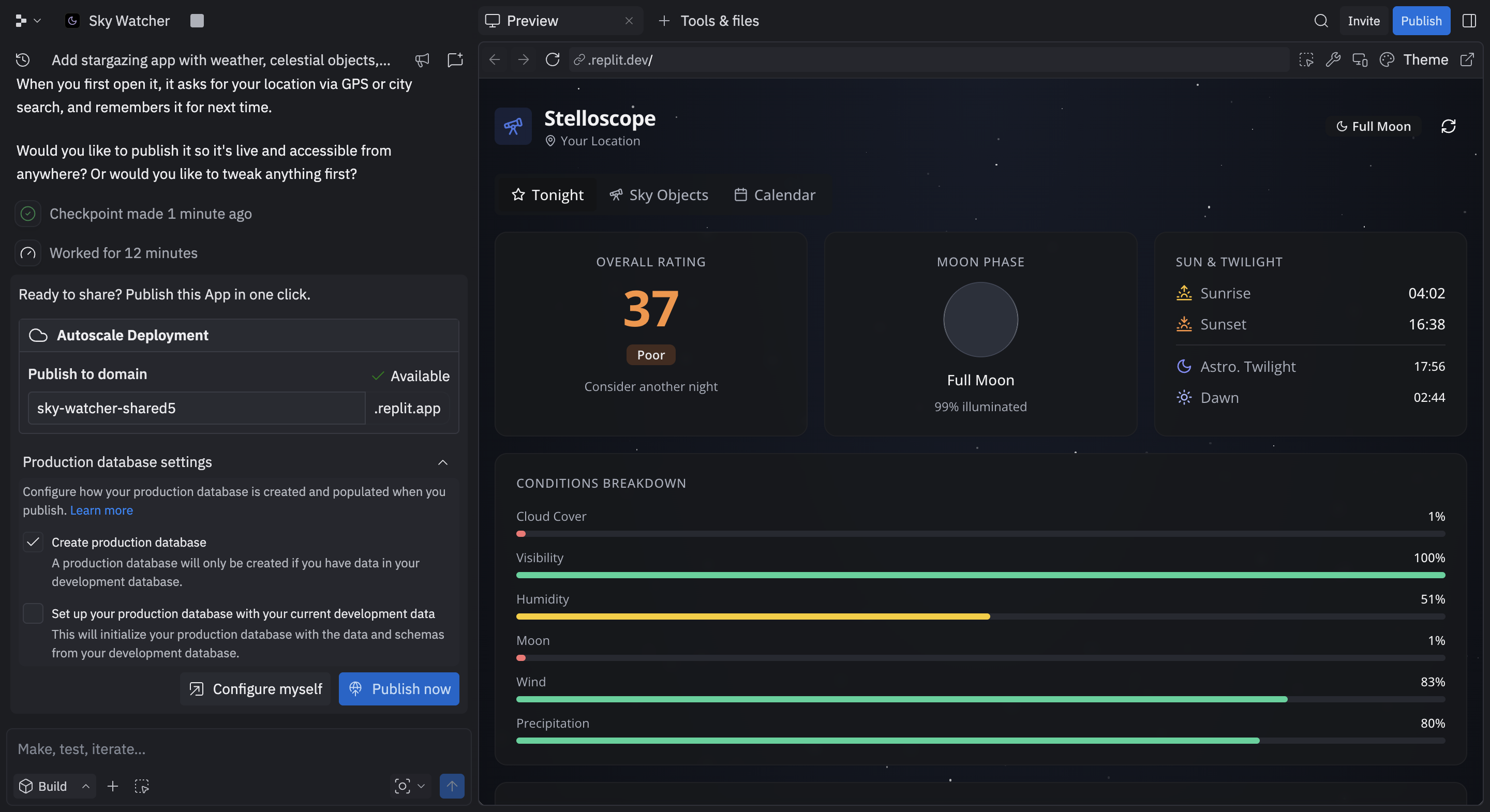
Replit's output: Stelloscope. Score of 37, conditions breakdown, and the publishing panel already open.
Both apps have bugs on the first pass.
Amp:
- A blank chart on the dashboard
- Using the wrong time for the location
Replit:
- Condition bars showing inverted values (99% cloud cover rendered as a 1% bar, making a cloudy night look clear)
- Full moon rendered as a black circle
- Planets listed as visible when below the horizon.
Fix this, no mistakes
I send both the same follow-up:
❯ There are some bugs. Fix them, then upgrade the UI — replace all emojis with proper SVG
icons and add fun facts for each celestial object. Make it feel more polished overall.
Replit
Replit reads its entire codebase before touching anything. It's doing what it always does, surveying the whole project before making a move. Then it ships an animated SVG conditions gauge and custom SVG planet icons with Jupiter's bands and Great Red Spot, plus expandable cards with telescope notes.
It also spins up a headless browser, navigates to the live app, clicks through every tab, and plays back a recording to verify its own work. I've used a lot of coding agents and none of them have ever done this unprompted. It's the kind of thing you'd normally set up with Playwright or Cypress, and Replit just ran the equivalent at the end of a build session on its own initiative.
Replit's agent piloting its own app to verify the build. I didn't ask it to do this. (3x speed)
The inverted bars and black moon are fixed. The browser test missed the mobile overflow, so I send one more prompt and it's fixed in a minute. $3.93.
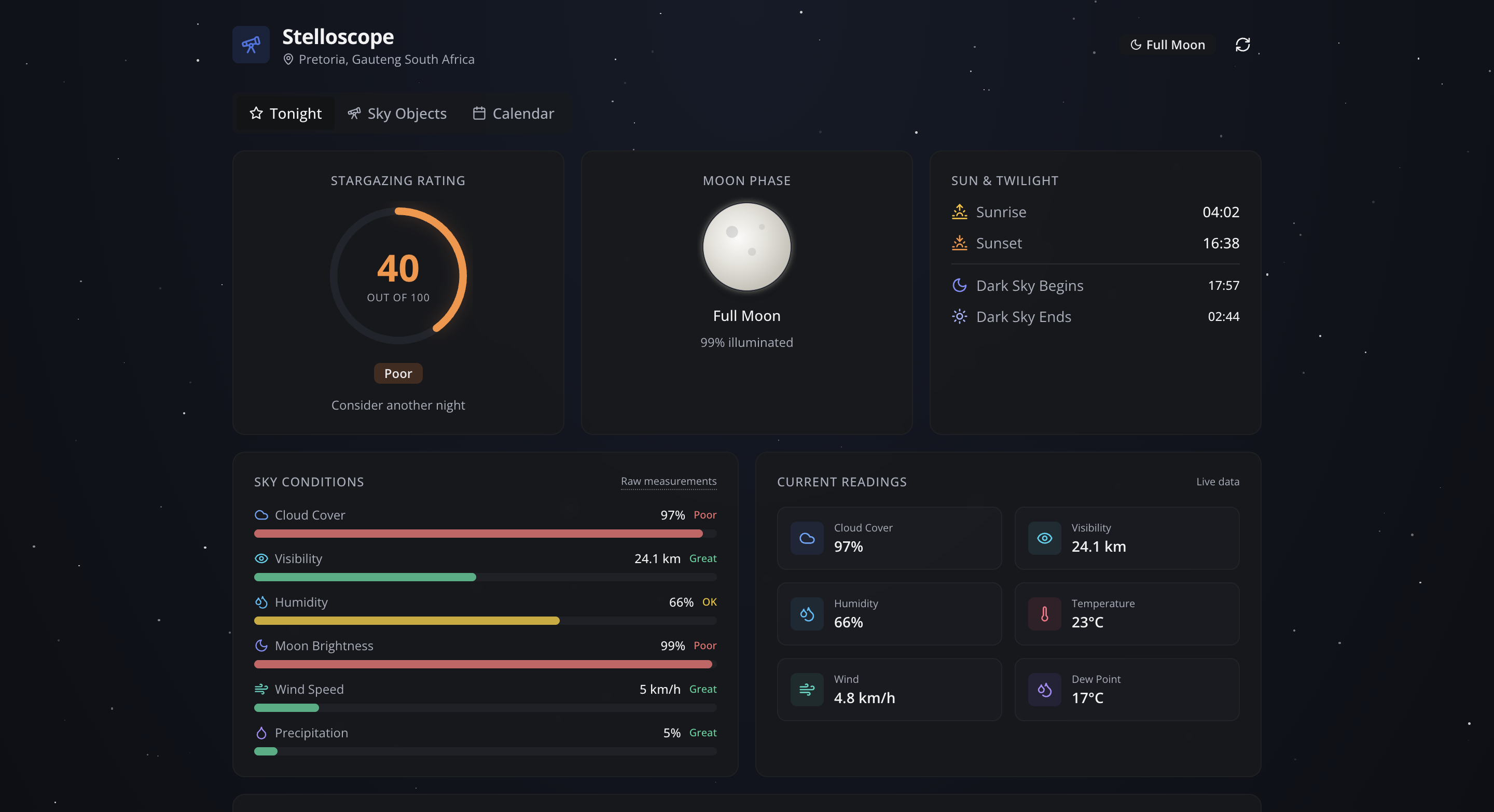
The inverted bars and broken moon, both fixed. The animated SVG gauge is new.
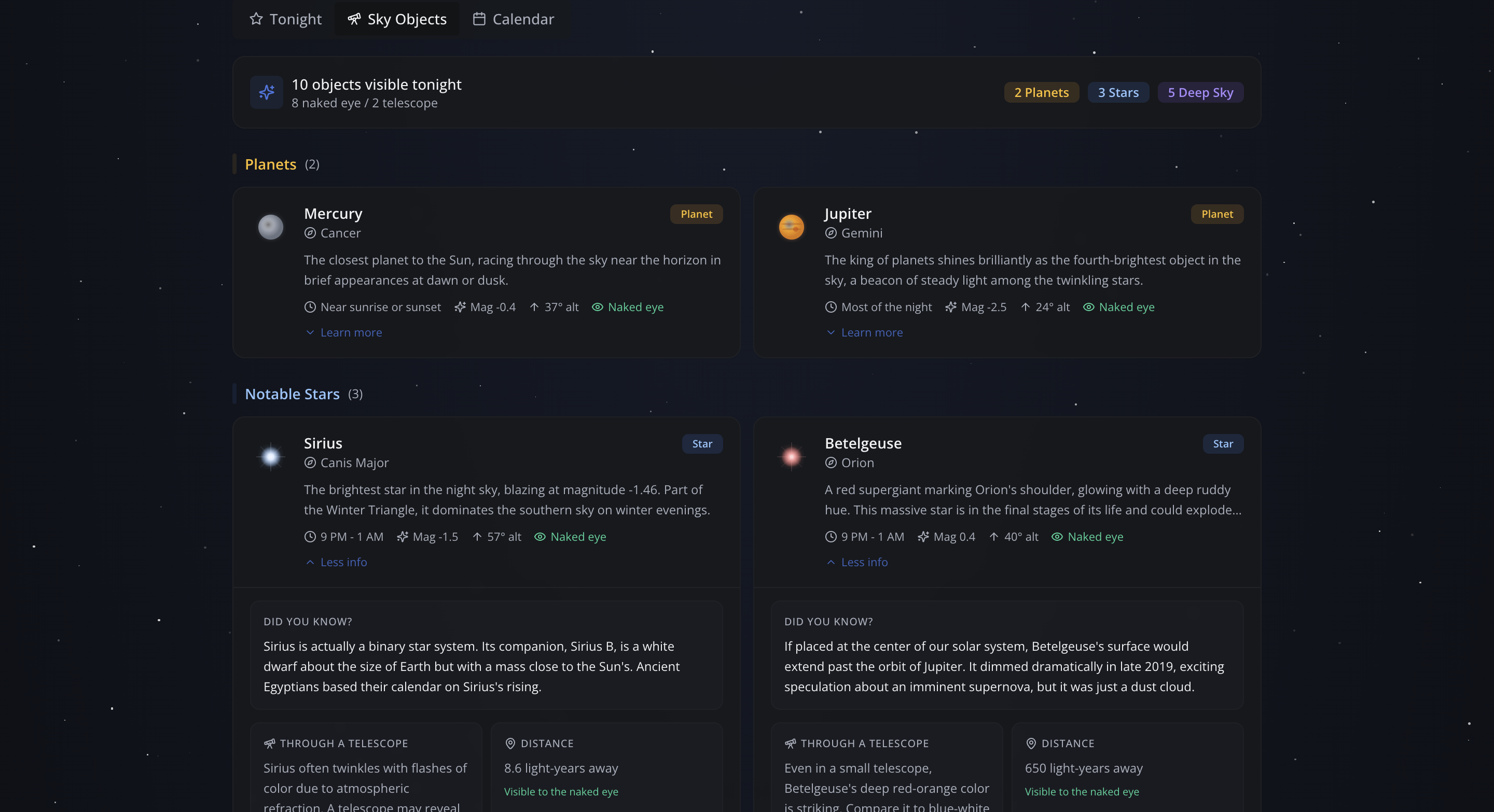
Jupiter's Great Red Spot drawn in SVG. Cards expand to show fun facts and telescope notes.
Amp
Amp splits the work across four parallel subagent tracks and type-checks after every file change. The blank chart and sky map time issue are both fixed, SVG icons and fun facts are in, and a best night callout card appears on the calendar. $4.32.
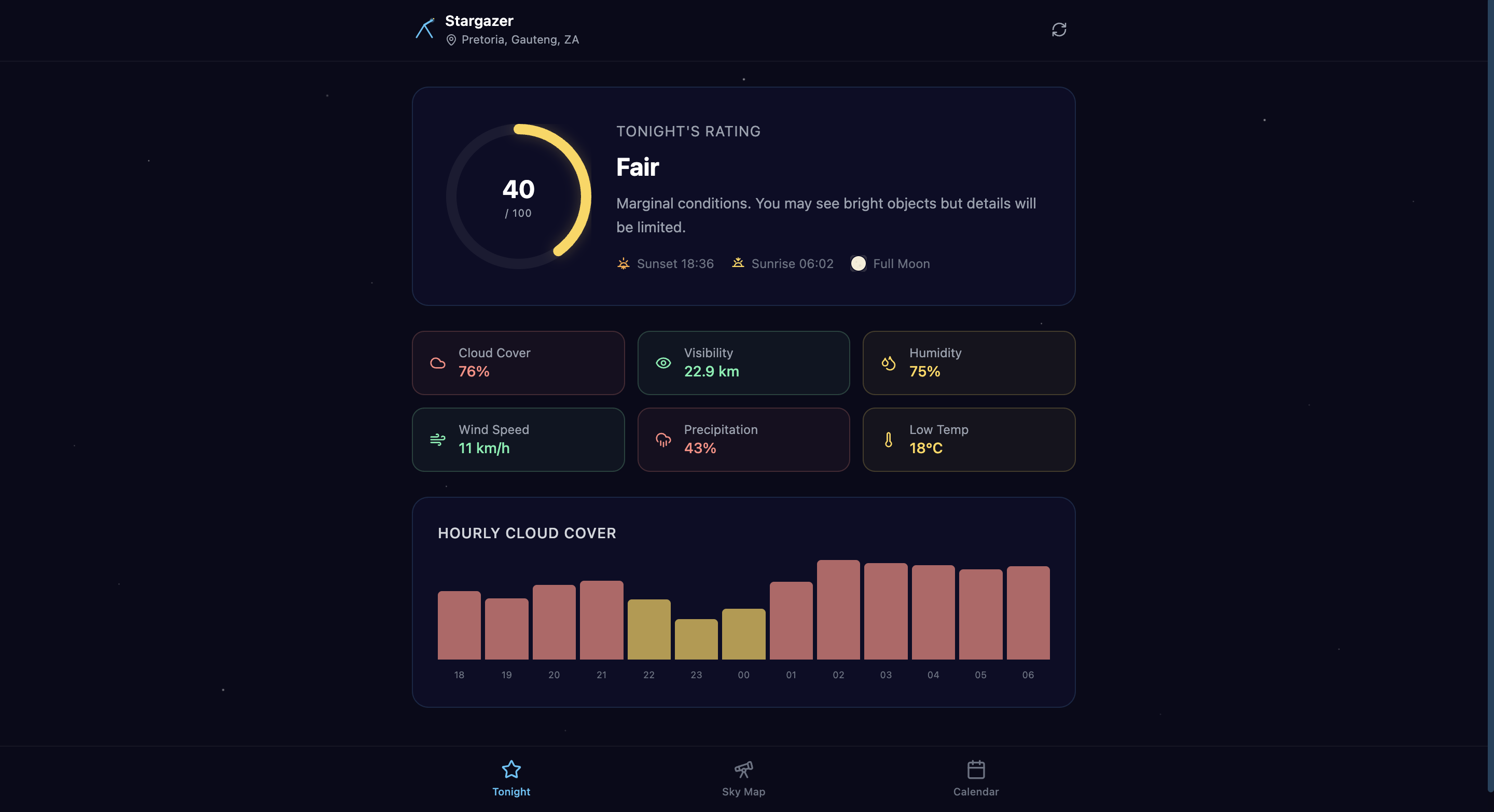
The blank chart from the first build, now rendering with SVG icons throughout.
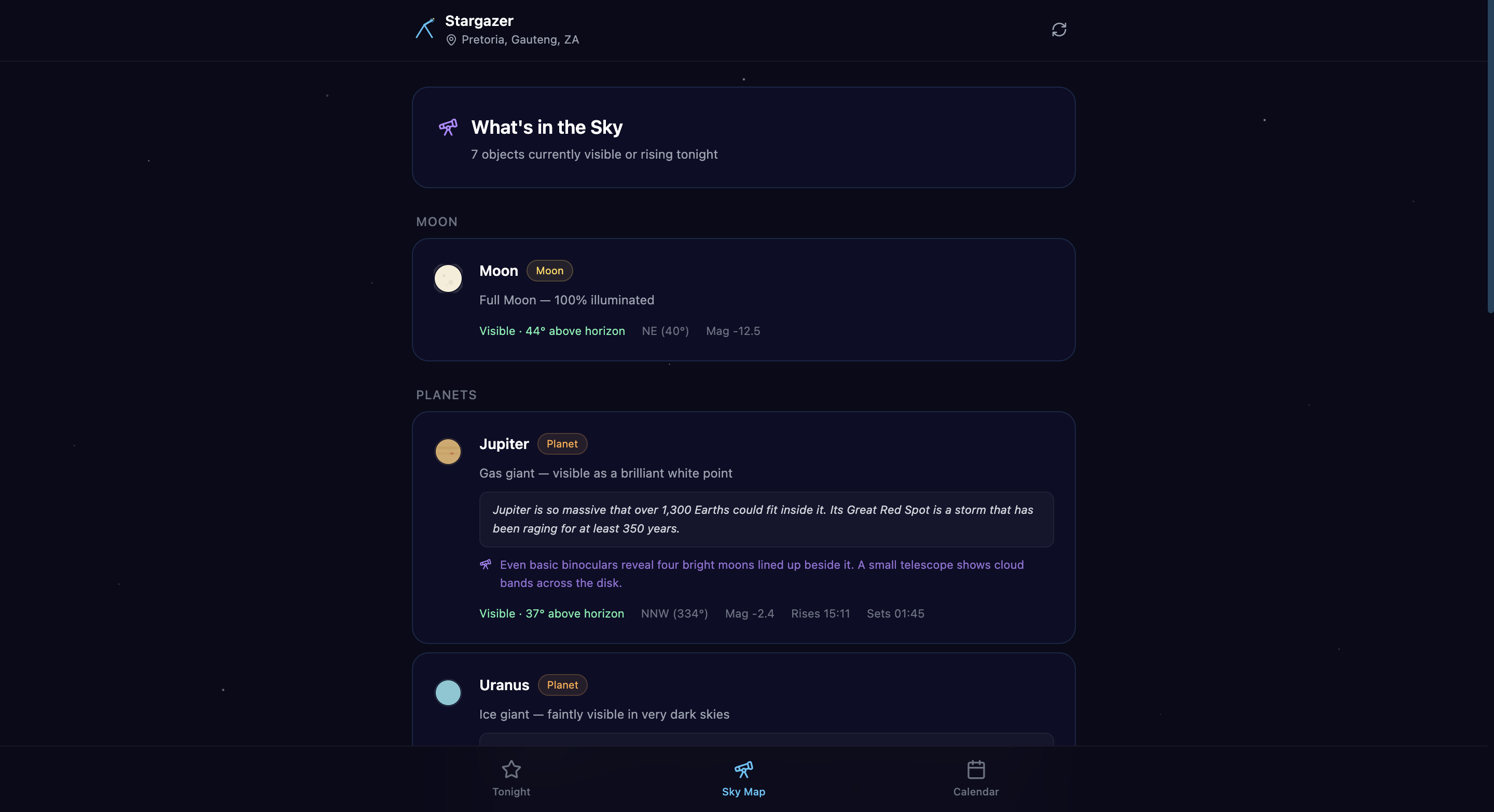
Fun facts and viewing tips across all celestial objects.
One exception. Amp was told to replace emojis with SVG icons. So Amp also replaced the app logo.
The result is technically an SVG of a telescope.

Amp's interpretation of a telescope.
Both tools recovered well. The outputs are genuinely close in quality. Replit's is more visually ambitious with the animated gauge and custom SVG icons, while Amp's is cleaner and more consistent. Neither one fell apart when asked to fix its own work.
| Replit | Amp | |
|---|---|---|
| Initial build | $3.58 | $0.98 |
| Fix + upgrade | $3.93 | $4.32 |
| Section total | $7.51 | $5.30 |
Test 2: add a backend and auth
One of the things I've got used to expecting from AI coding tools is that they work autonomously. You describe what you want and they build it. When that breaks down and you're suddenly going off to create an account or copy an API key somewhere, it kills the flow.
The work isn't hard, it's just that you weren't expecting to do it.
So I prompt the agents to do it for me:
❯ Add a notes feature to the app. I want a dedicated Notes section — a separate tab or page
where the user can write personal observing log entries. Each entry should have a date, a
title, and a body. Entries should be saved and accessible across devices.
"Accessible across devices" means a real backend, and a real backend means infrastructure. The two tools handle this completely differently.
Replit
Replit provisions a PostgreSQL database before writing a single line of feature code. You never see a dashboard or touch a credential. Nine minutes later there's a full notes tab. $2.72.
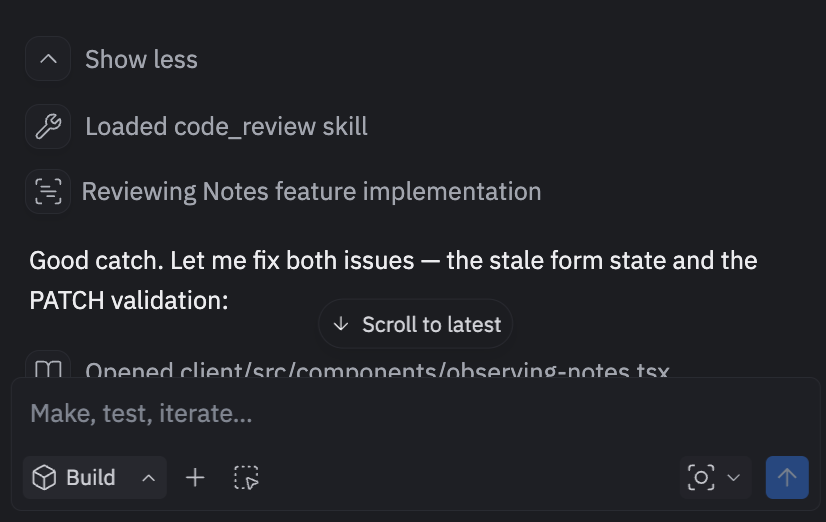
"Good catch. Let me fix both issues." Found and fixed autonomously.
It missed one thing though: the notes are shared across every user with no per-user scoping. The prompt said "accessible across devices" and Replit built persistence without thinking about what that implied. It said nothing about it.
Amp
Amp built the notes tab in localStorage and said so upfront:
"True cross-device access would require a backend. Currently notes persist per browser. If you'd like me to integrate a cloud backend, let me know which service you prefer."
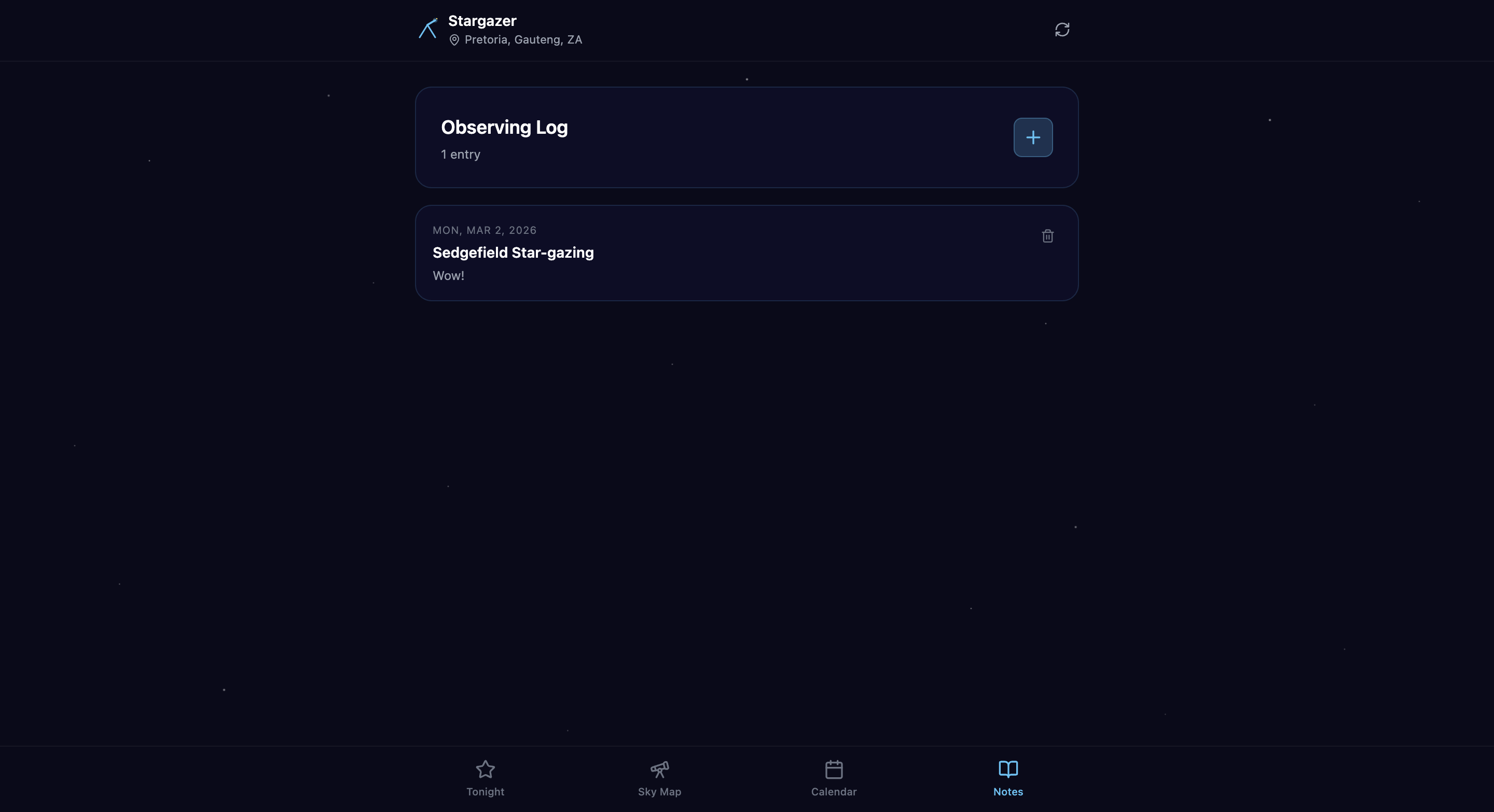
localStorage only. Amp disclosed the limitation upfront.
I follow up both with the same prompt:
❯ The notes are currently shared across all users. I want each user to have their own
private notes. Add authentication so users can sign in and only see their own entries.
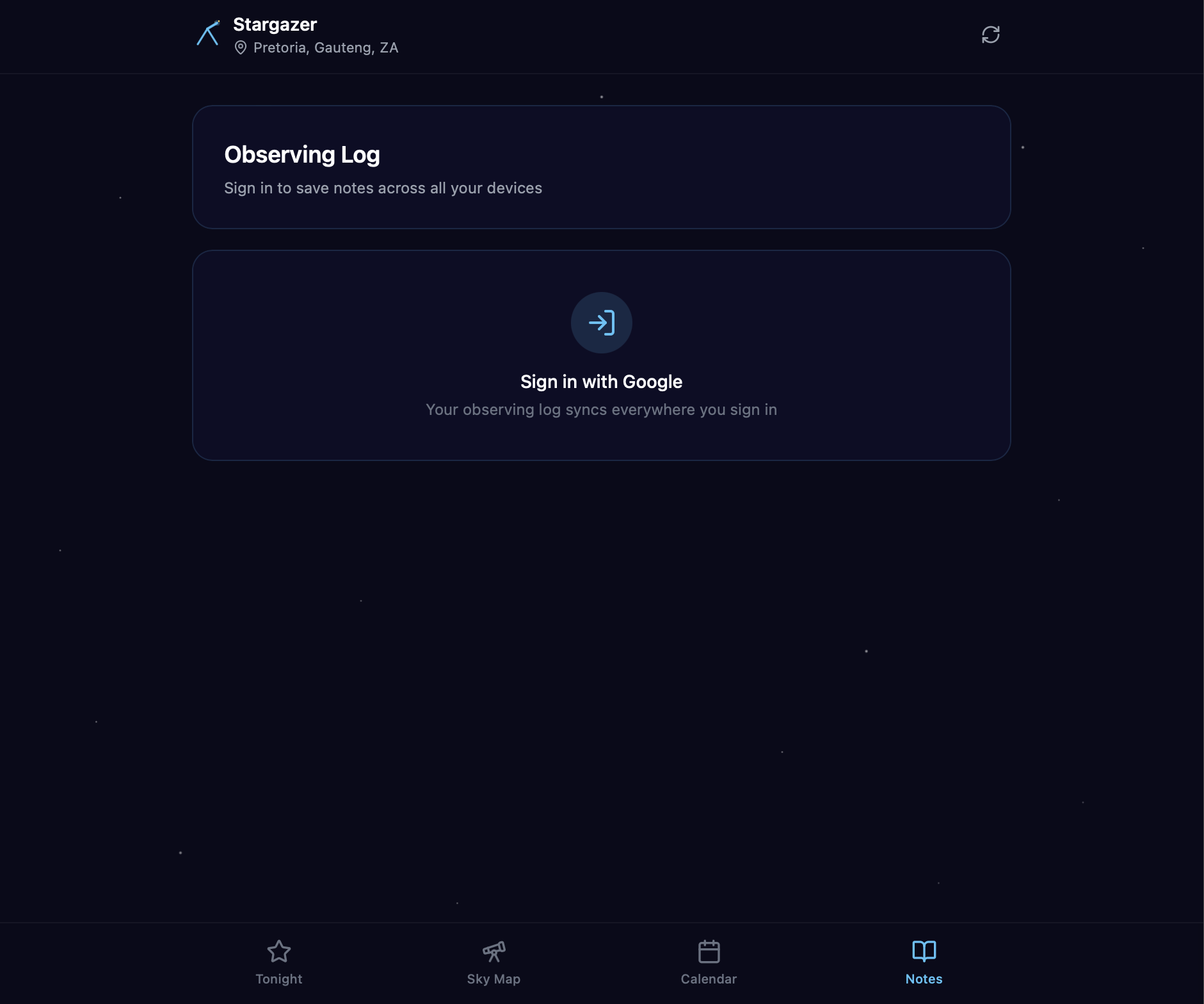
Replit reaches for its own built-in OpenID Connect integration with Google, GitHub, and Apple. One confirmation click, and it handles the schema migration, route protection, sign-in UI, and session handling. Six minutes. $2.99. I never open another browser tab.
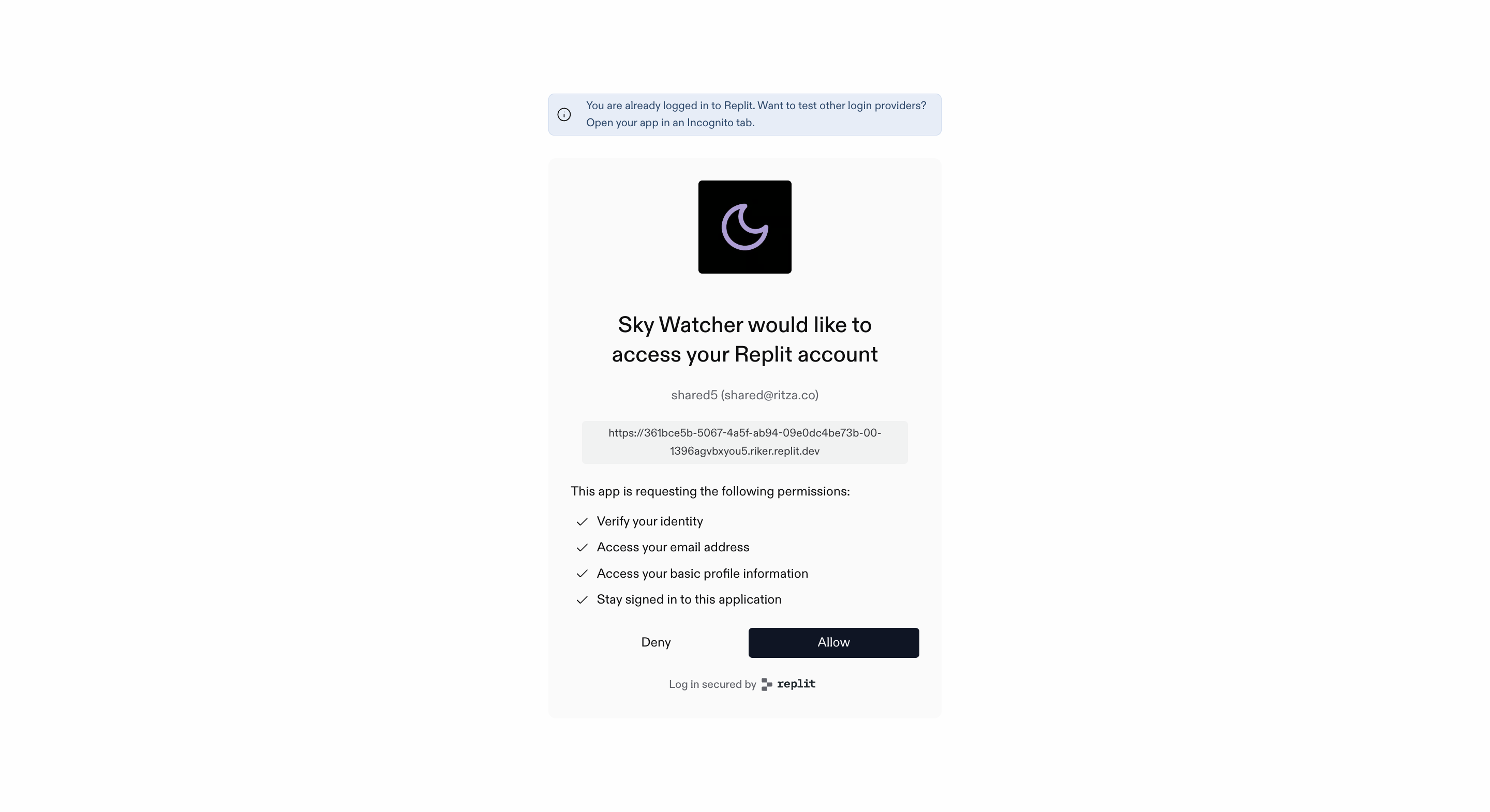
One confirmation click. Replit handled the rest without me.
Amp picks Firebase + Google Auth + Firestore, writes the integration code, and hands me a checklist: create a Firebase project, enable Google sign-in, create a Firestore database, copy six config values into .env. About five minutes in the Firebase Console. Amp can write the code that calls Firebase, but creating the Firebase project itself is outside what it can do.
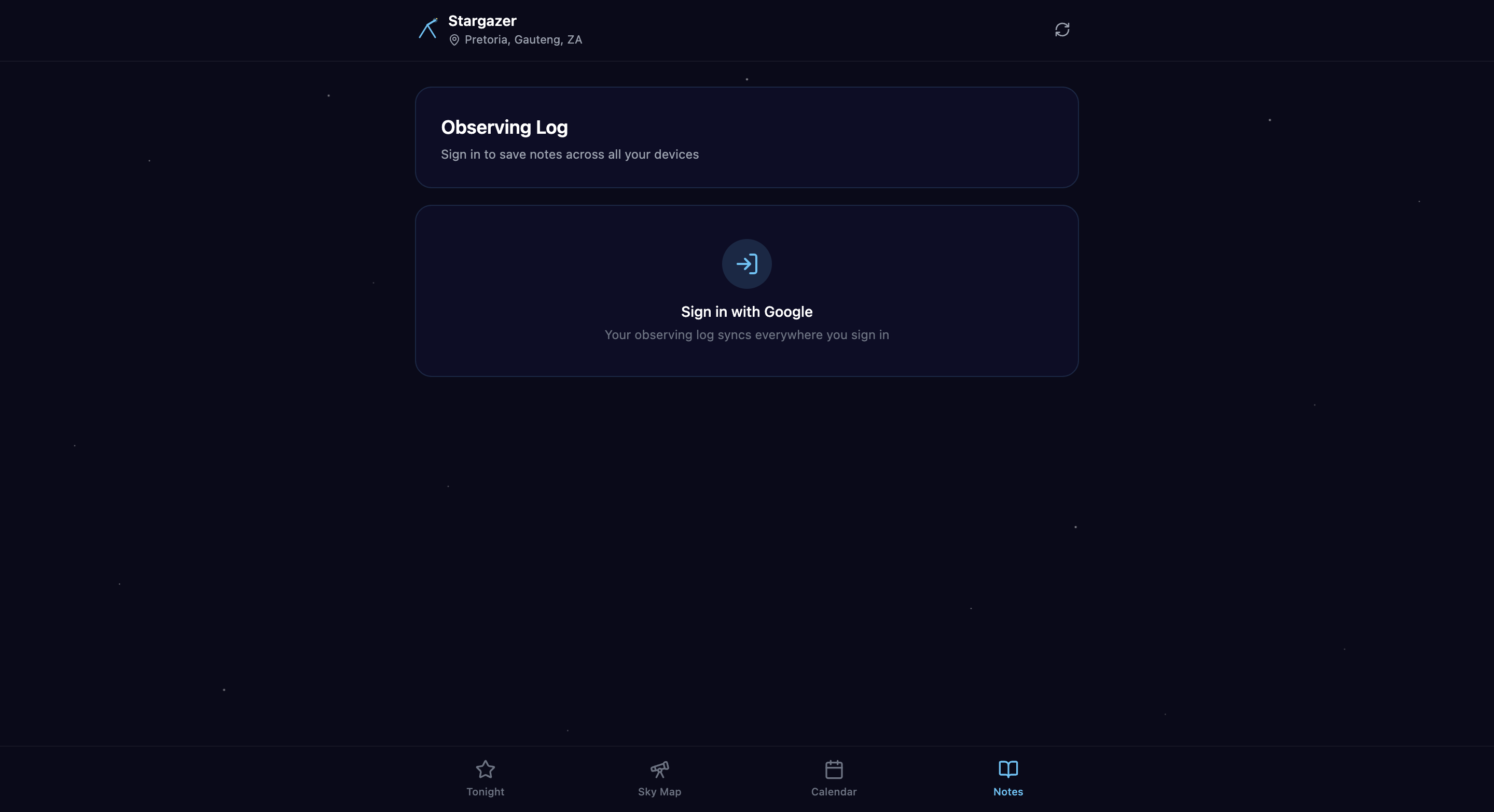
Amp's sign-in gate, working after the Firebase Console setup.
Both end up working.
| Replit | Amp | |
|---|---|---|
| Notes feature | $2.72 | $1.42 |
| Auth follow-up | $2.99 | — (included above) |
| Section total | $5.71 | $1.42 |
Test 3: get it live
Both apps are running locally. Time to put them on a real URL.
Replit
The Publishing tab has been sitting in the sidebar since the moment the app was created. I'd walked past it every session. I open it and there's already a .replit.app subdomain assigned and waiting. I click Publish.
The pipeline runs in seconds: Provision, Security Scan, Build, Bundle, Promote.
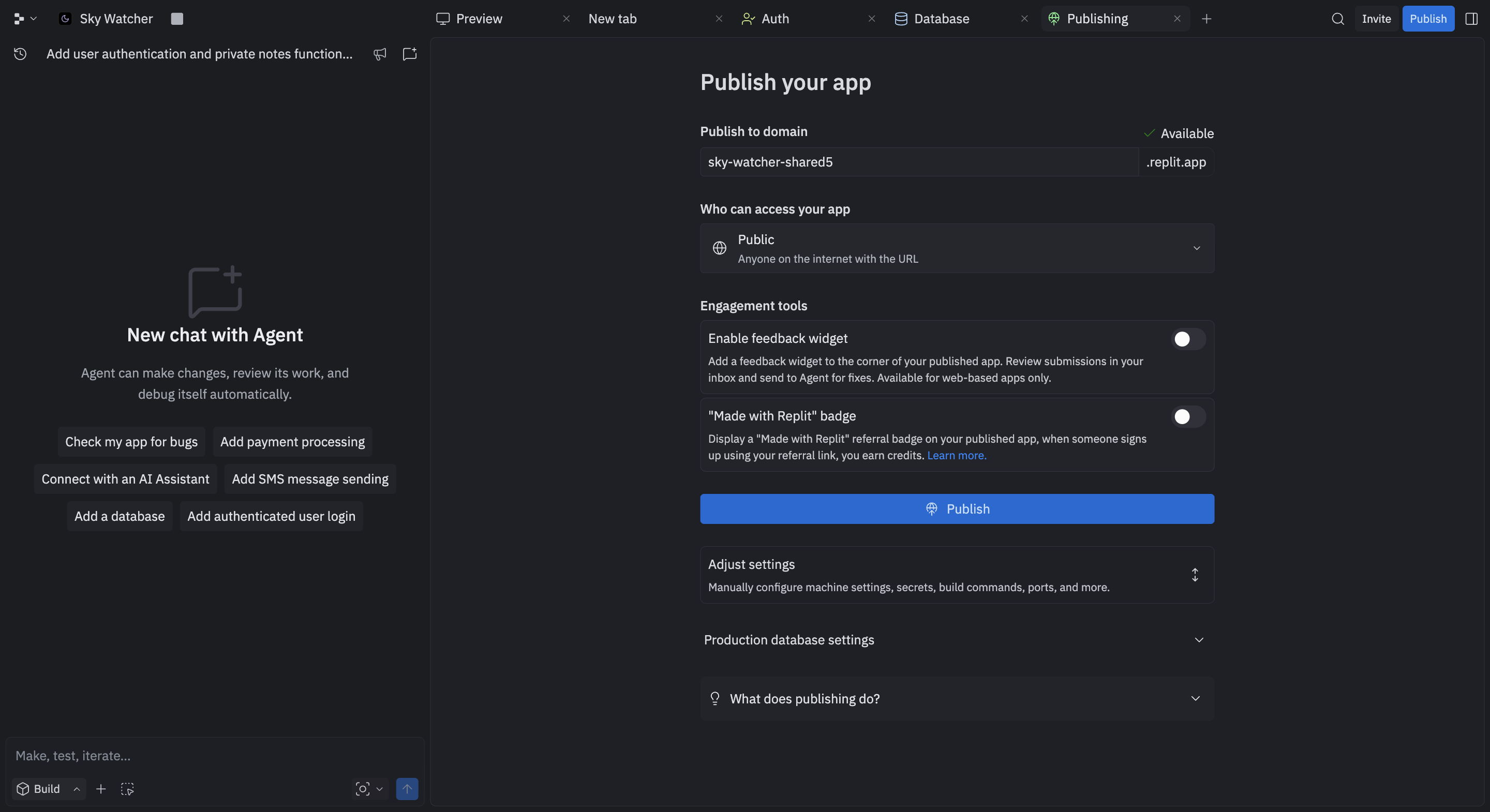
Replit's Publishing tab, with a subdomain pre-assigned before I ever clicked Publish.
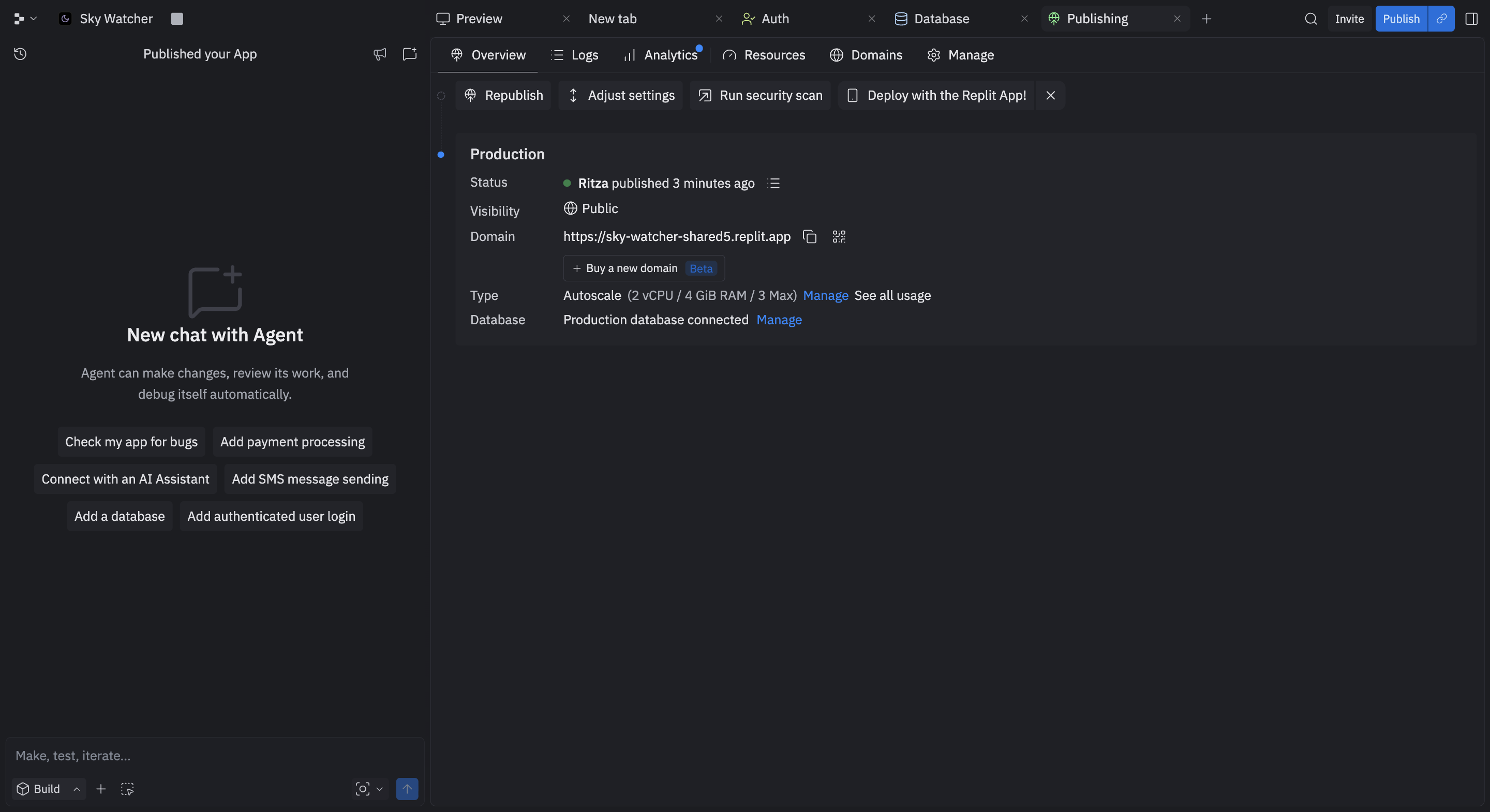
Live URL, Autoscale compute, and production database in one view.
I check the usage breakdown after. All $15.57 across every phase was classified as Agent. Hosting, database, and object storage came to $0.00.
The trade-off is that it's all Replit's. Auth, database, and hosting all live on Replit, which is genuinely convenient until you want to leave.
If you ever wanted to move to Cloudflare Pages, host somewhere cheaper, or swap in a different database, you'd be starting from scratch. The convenience and the lock-in are inseparable.
There's also a "Made with Replit" badge enabled by default that you can to opt out of.
Amp
For Amp, I send a prompt:
❯ I want to deploy this app so I can share a live URL with people. Help me do that.
Pick whatever makes sense for this project that has a free tier.
It reads the project files, identifies it correctly as a static Vite app with Firebase on the client, and picks Vercel. Then its first instinct is to hand the deploy back to me:
"Run vercel in the project directory — it'll walk you through linking/creating a project interactively (I can't do this for you since it requires login)."
I tell it I am busy drinking coffee and that I don't want to do that.
It recalibrates, then checks vercel whoami, finds I'm already logged in, and takes over.
It installs the Vercel CLI and deploys the app. Four minutes to a live URL. That part impressed me. It handled the whole sequence without me having to explain any of it.
Then auth breaks. The Vercel domain isn't in Firebase Console's authorised domains, a manual step Amp can diagnose but can't fix.
It tries a workaround with signInWithRedirect, which breaks location state, but in the end I add the domain manually. Four deploys total.
Amp correctly identifies the auth domain error. Fixing it requires the Firebase Console.
$1.11 total.
The flexibility is real though. Vercel was the right call for this project, but Cloudflare Pages or Netlify would have worked too. Amp would have read the project and picked accordingly. Replit's answer is always itself.
| Replit | Amp | |
|---|---|---|
| Hosting | $0 (no agent prompt needed) | $1.11 |
| Section total | $0 | $1.11 |
What $20 actually buys
Here's the full breakdown across every prompt in the test:
| Replit | Amp | |
|---|---|---|
| Initial build | $3.58 | $0.98 |
| Fix + upgrade | $3.93 | $4.32 |
| Notes feature | $2.72 | $1.42 |
| Auth follow-up | $2.99 | — |
| Hosting | $0 | $1.11 |
| Total | $15.57 | ~$7.83 |
| Remaining of $20 | $4.43 | ~$12.17 |
| Model | Claude Sonnet 4.5 | Claude Opus 4.6 |
If I had to pick one and I'm being honest about it, I'd use Amp. I'm a VS Code developer. My whole environment is already set up the way I like it, with the keybindings and extensions I've built up over years. Having an agent slot into that rather than asking me to move into its world suits how I work. The infrastructure ownership doesn't bother me. I'm used to it.
But I'd be lying if I said Replit didn't impress me. The headless browser self-test alone was worth seeing, and the zero-setup database and one-click auth are both things I'd want Amp to have. The publishing tab sitting in the sidebar from minute one is the most sensible deploy UX I've seen. Amp should have first-class connectors for services like Firebase and Supabase, things you can wire up in one prompt without a checklist. Replit should let you work in your own editor and deploy to your own hosting. Neither tool has figured out how to be the other one yet.
What $20 actually buys depends entirely on who you are. If you want to describe an idea and walk away while a platform handles the build and deployment, Replit is remarkable value. If you want a powerful agent in the environment you already trust, with costs you can see and infrastructure you control, Amp is the better spend. Both tools are capable enough. The question is whose box you want to be in.