Heroku Was Already Dead: A Study in Bad UX
Heroku was once the gold standard for developer experience. "Git push to deploy" was revolutionary. But somewhere along the way, Salesforce acquired it, removed the free tier, and wrapped the whole thing in enterprise bureaucracy. And now Salesforce has announced that Heroku is moving to a "sustaining engineering model" — corporate speak for "we're done building this, but we'll keep the lights on." No new features. Just "stability, security, reliability, and support." They want you to know that nothing changes for existing customers, which is another way of saying: nothing will change for Heroku, ever again.
But Heroku was already dead before this announcement. I signed up for a new Heroku account today and counted every screen. Then I did the same for Railway. The difference tells you everything about why Heroku lost.
Signing up for Heroku: 9 screens
Step 1: The signup form
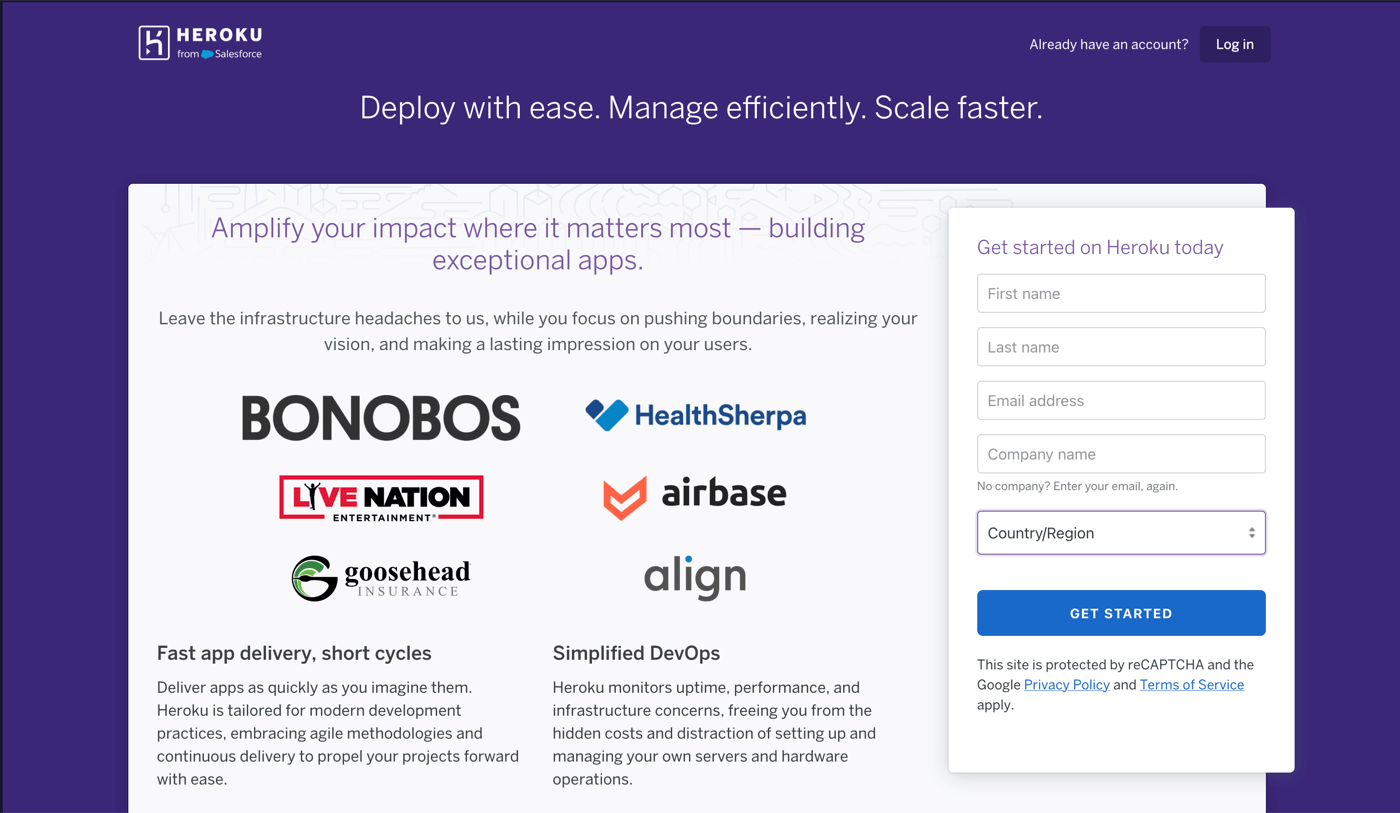
The Heroku landing page asks for your first name, last name, email address, company name, and country/region. No GitHub login option. No SSO. Just a plain form and reCAPTCHA.
Step 2: Check your email
Heroku sends a confirmation email. Click the link to continue.
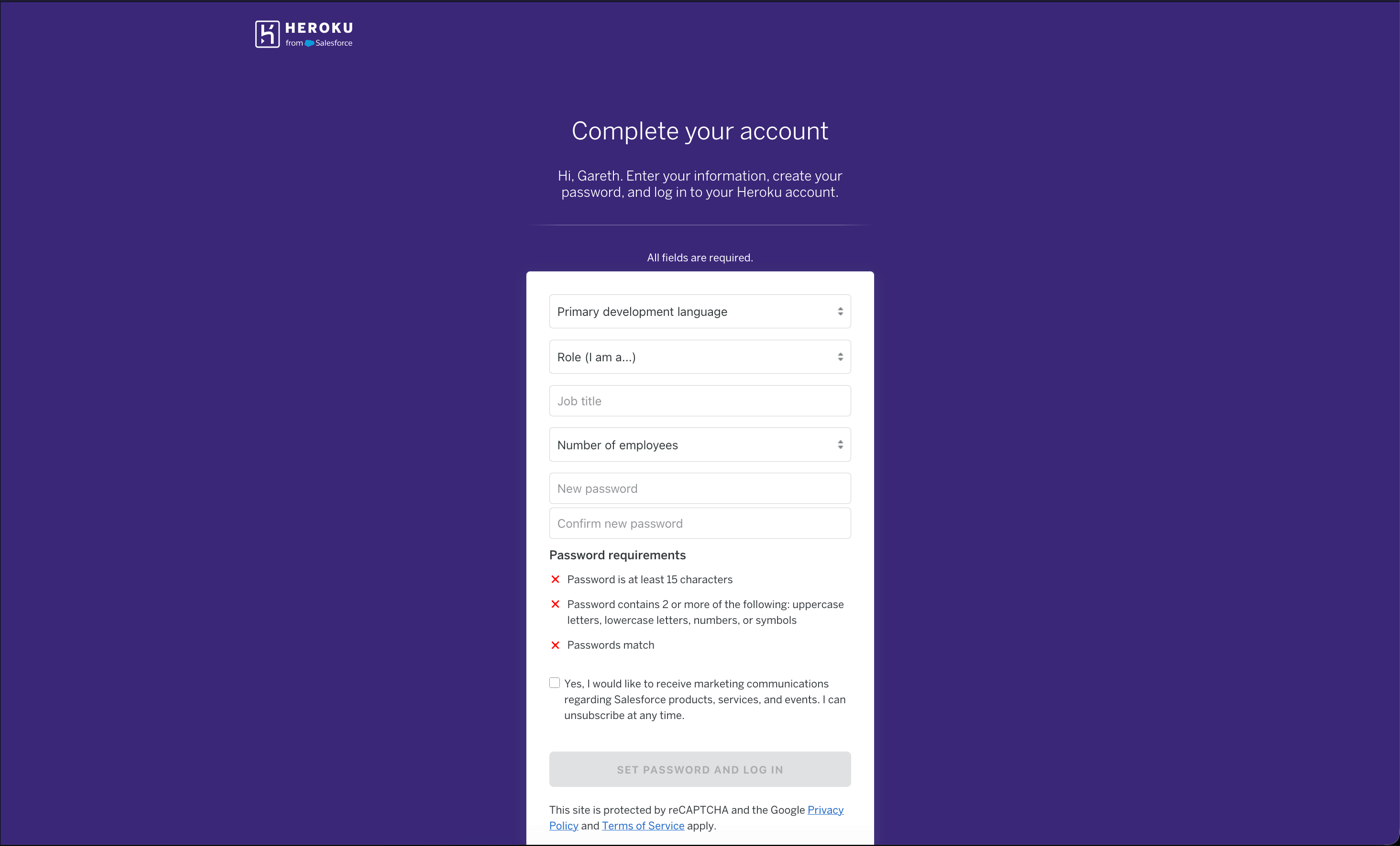
Step 3: Complete your account
The confirmation link takes you to a second form: primary development language, role, job title, number of employees, and a password. The password needs at least 15 characters with complexity rules. There's also a marketing opt-in for Salesforce communications.
Step 4: Welcome page
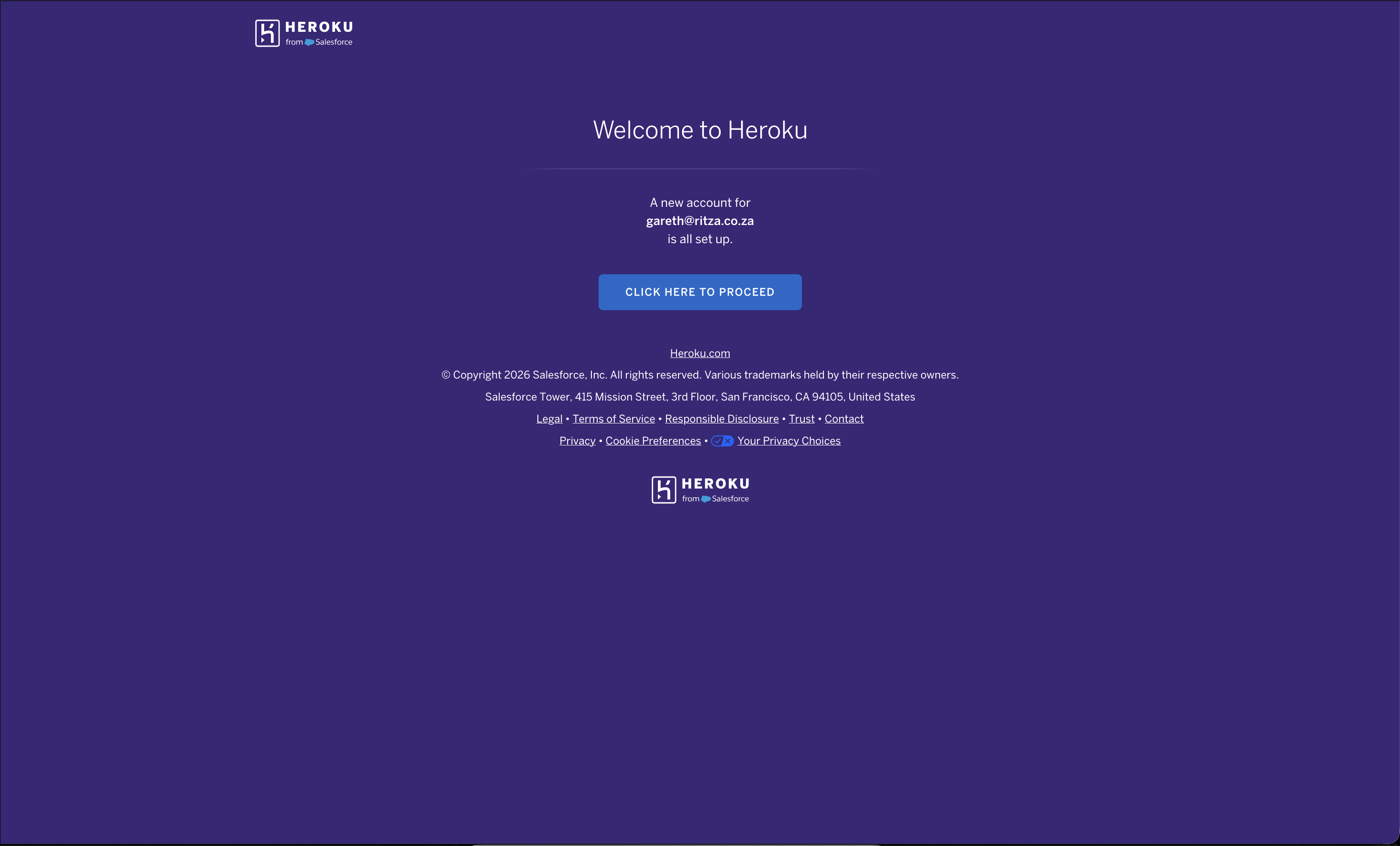
A purple screen tells you that your account for gareth@ritza.co.za is all set up. There's a single button: "CLICK HERE TO PROCEED." Why is this a separate page?
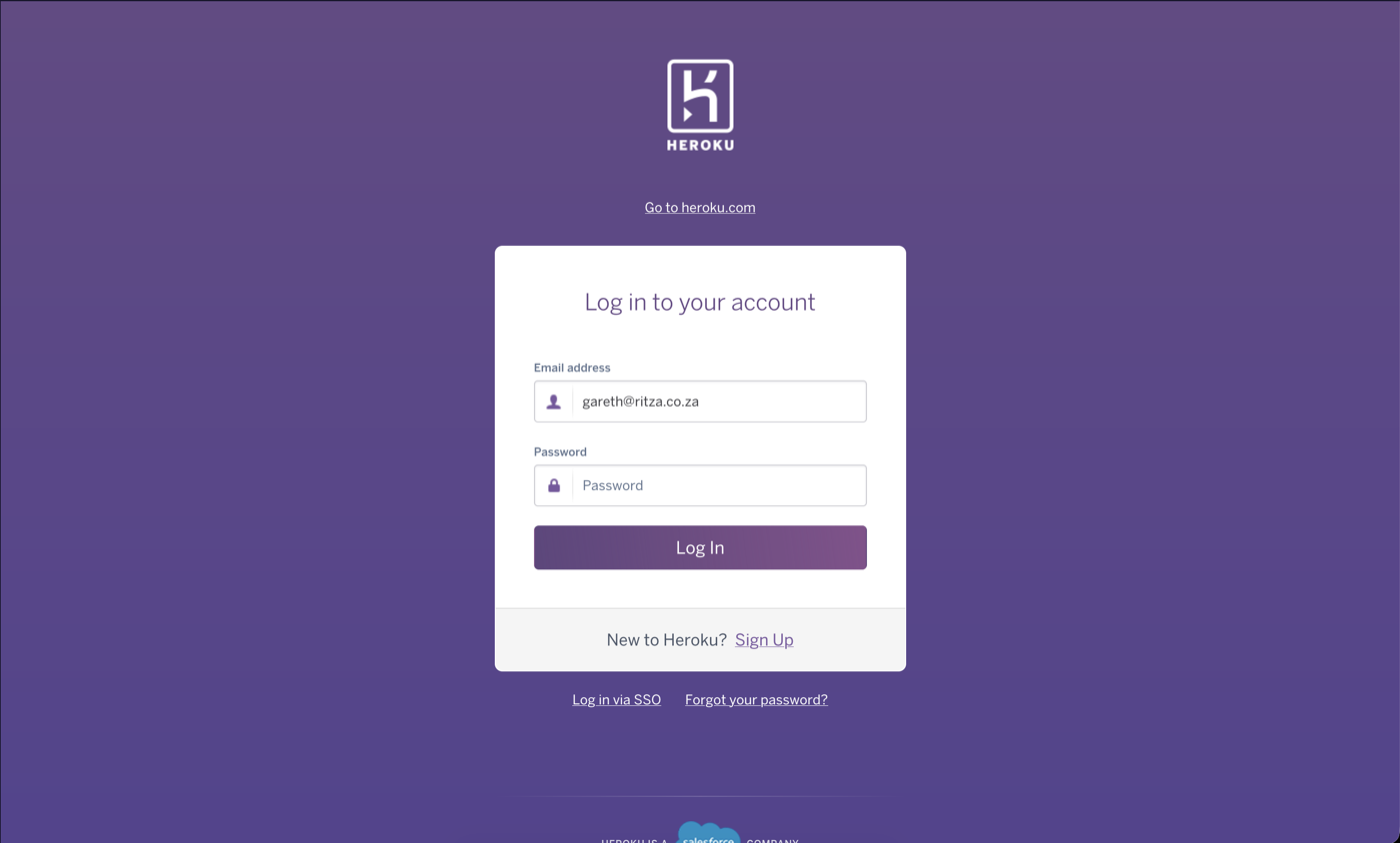
Step 5: Log in again
The "proceed" button takes you to a login page. You just set your password moments ago. Now type it again.
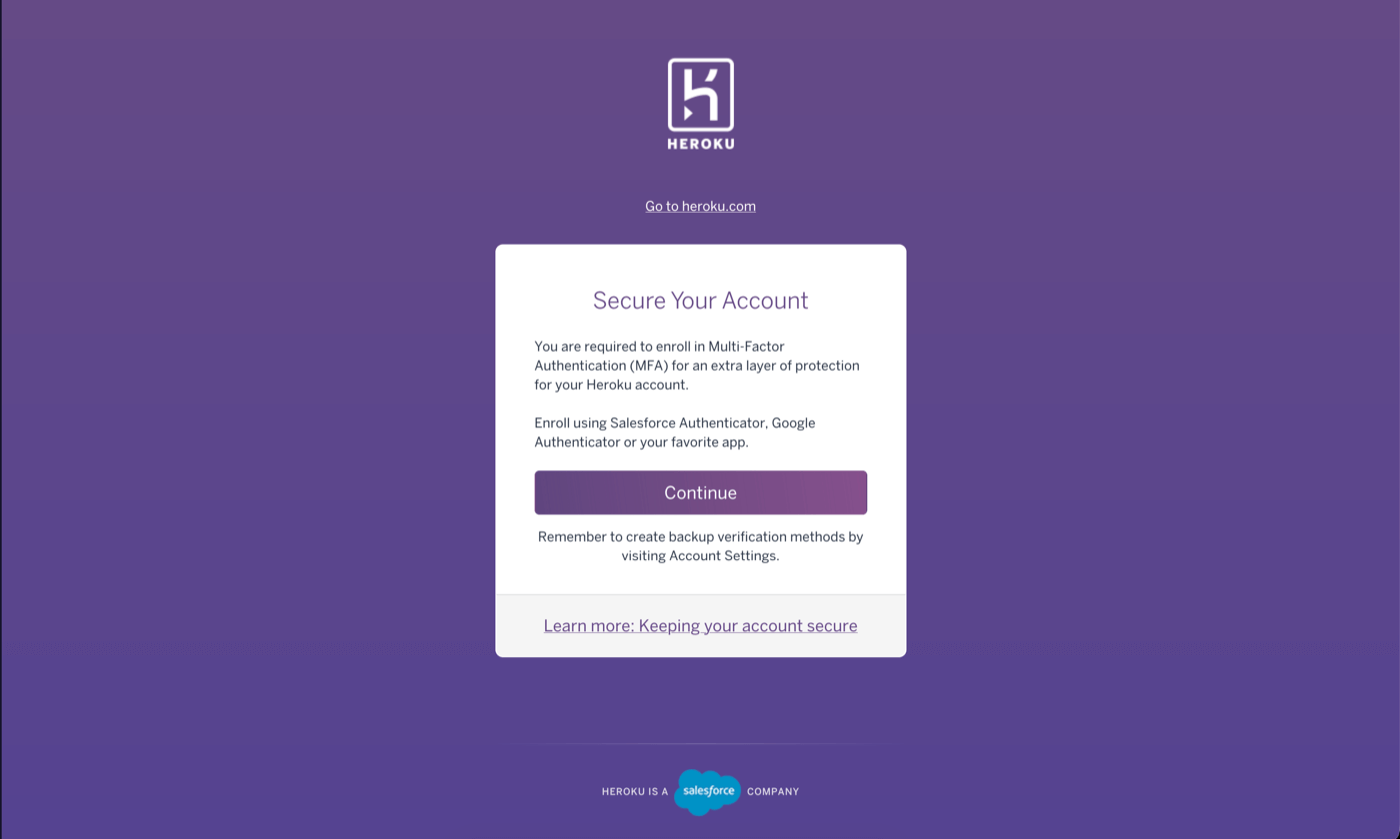
Step 6: Mandatory MFA enrollment
Now Heroku requires you to enroll in Multi-Factor Authentication before you can continue.
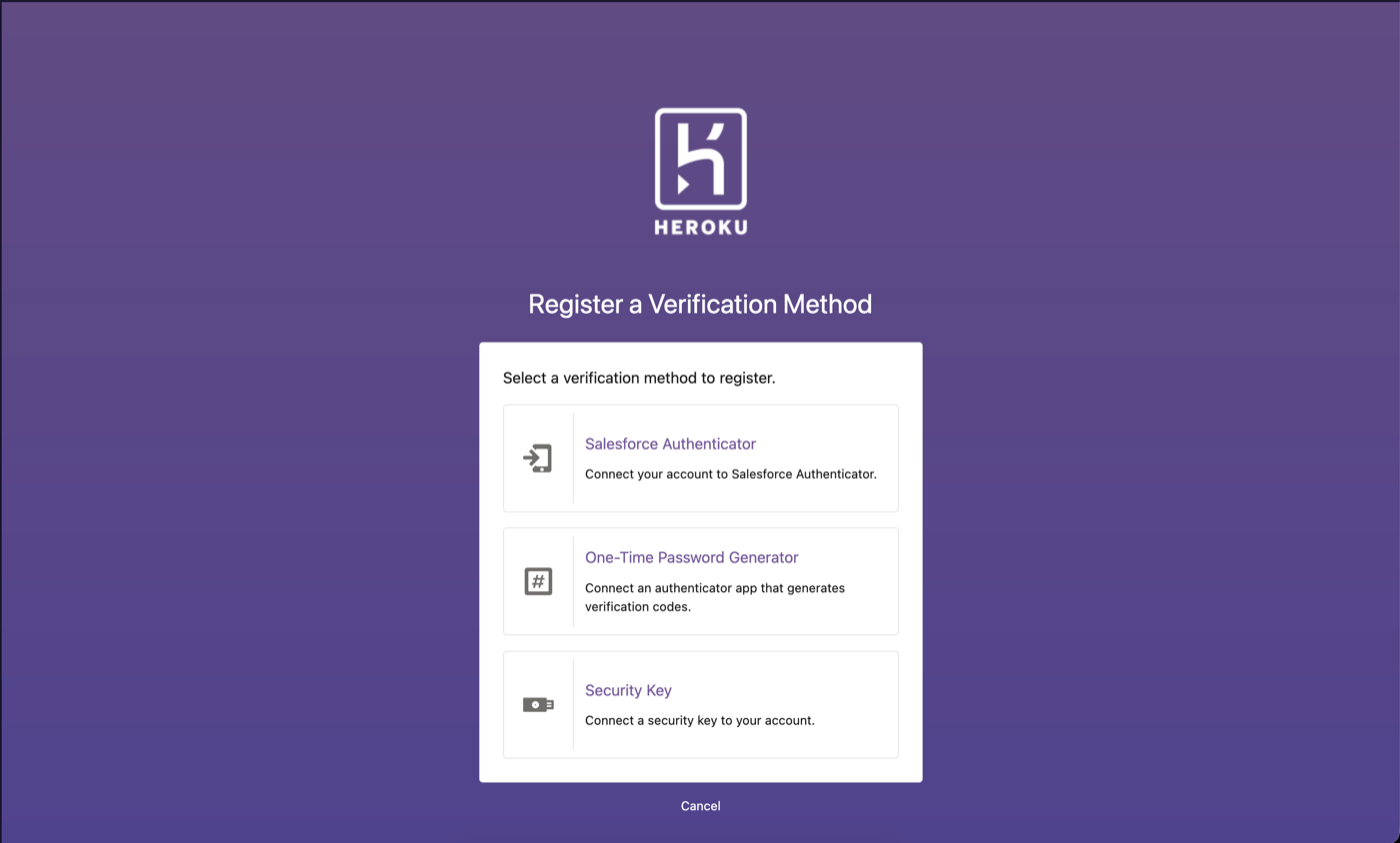
Step 7: Choose a verification method
Three options: Salesforce Authenticator, a One-Time Password Generator, or a Security Key. Salesforce Authenticator is listed first, above standard options.
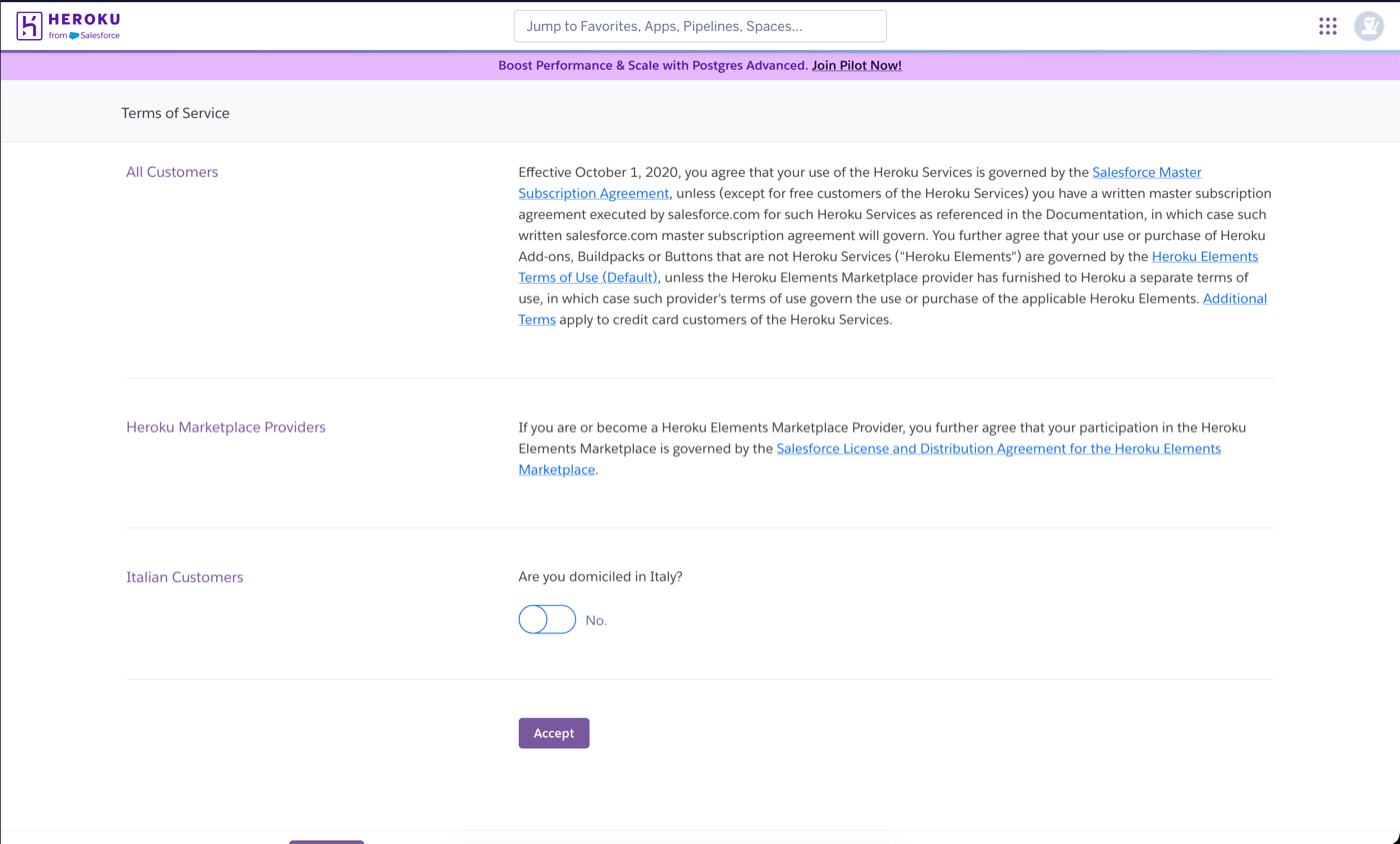
Step 8: Terms of Service
Next, accept the Terms of Service. The page opens with "Effective October 1, 2020, you agree that your use of the Heroku Services is governed by the Salesforce Master Subscription Agreement."
There's also a toggle asking "Are you domiciled in Italy?" with a "No" default. This is clearly some internal legal requirement for Salesforce's Italian operations leaking into the signup flow for every user worldwide. Someone at Salesforce needed an Italy-specific compliance checkbox, and rather than handling it quietly based on locale or IP, they added it to the global Terms of Service page. Every developer signing up from Tokyo to Toronto gets asked about Italy.
Step 9: The dashboard (finally)
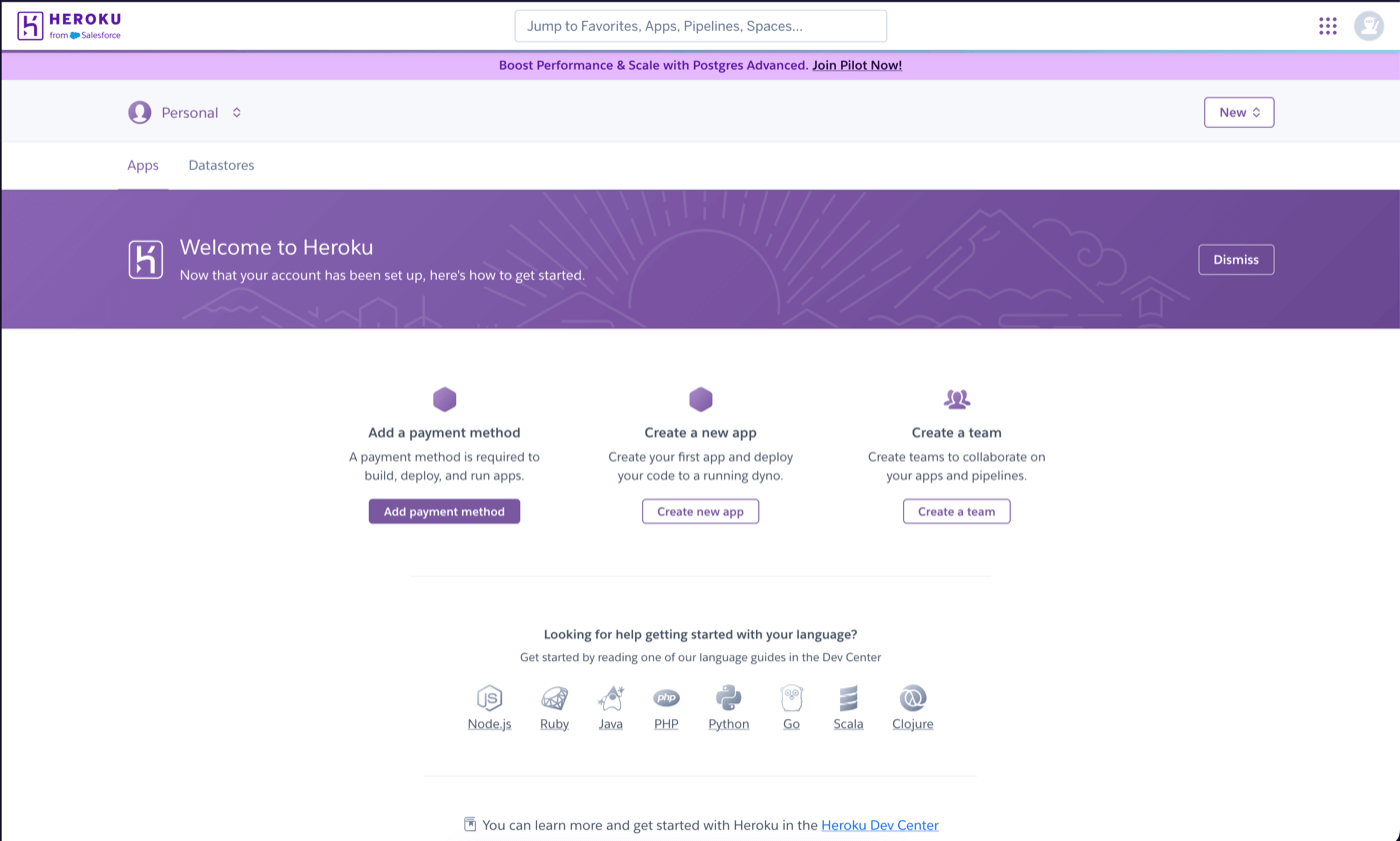
You're in. The dashboard shows three calls to action: "Add a payment method," "Create a new app," and "Create a team." The emphasized one is "Add a payment method" — because a payment method is required to build, deploy, and run apps. After nine screens, you still can't do anything without a credit card.
But it gets worse. The payment method you add here is a personal payment method. If you then click "Create a team" (which you'll need for any real project), Heroku walks you through the payment setup again, with a note explaining that team billing is separate from your personal billing. Two payment method flows, for one signup.
Signing up for Railway: 4 screens
Here's Railway's full signup flow from scratch.
Step 1: Continue with GitHub
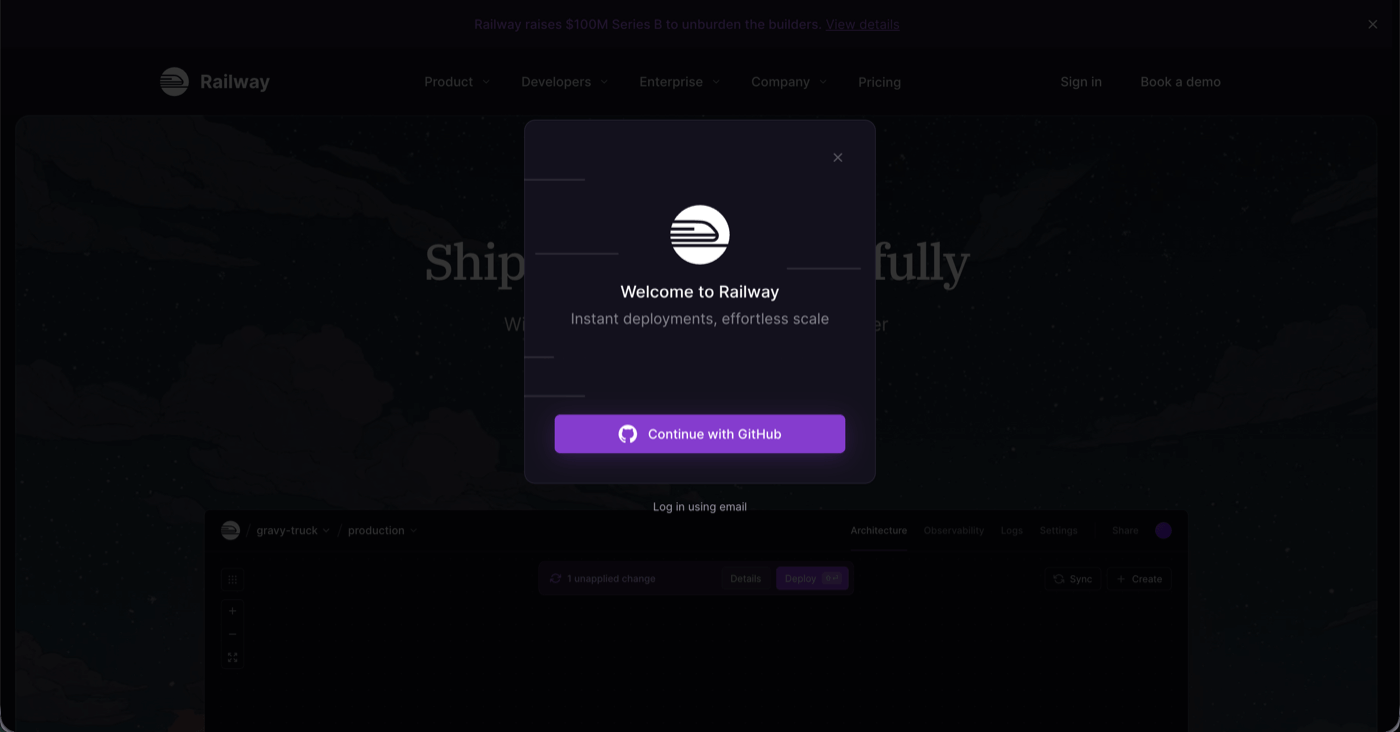
Railway's homepage shows a modal with one button: "Continue with GitHub." There's also a "Log in using email" link if you prefer, but GitHub is the default and obvious path.
Step 2: Authorize on GitHub
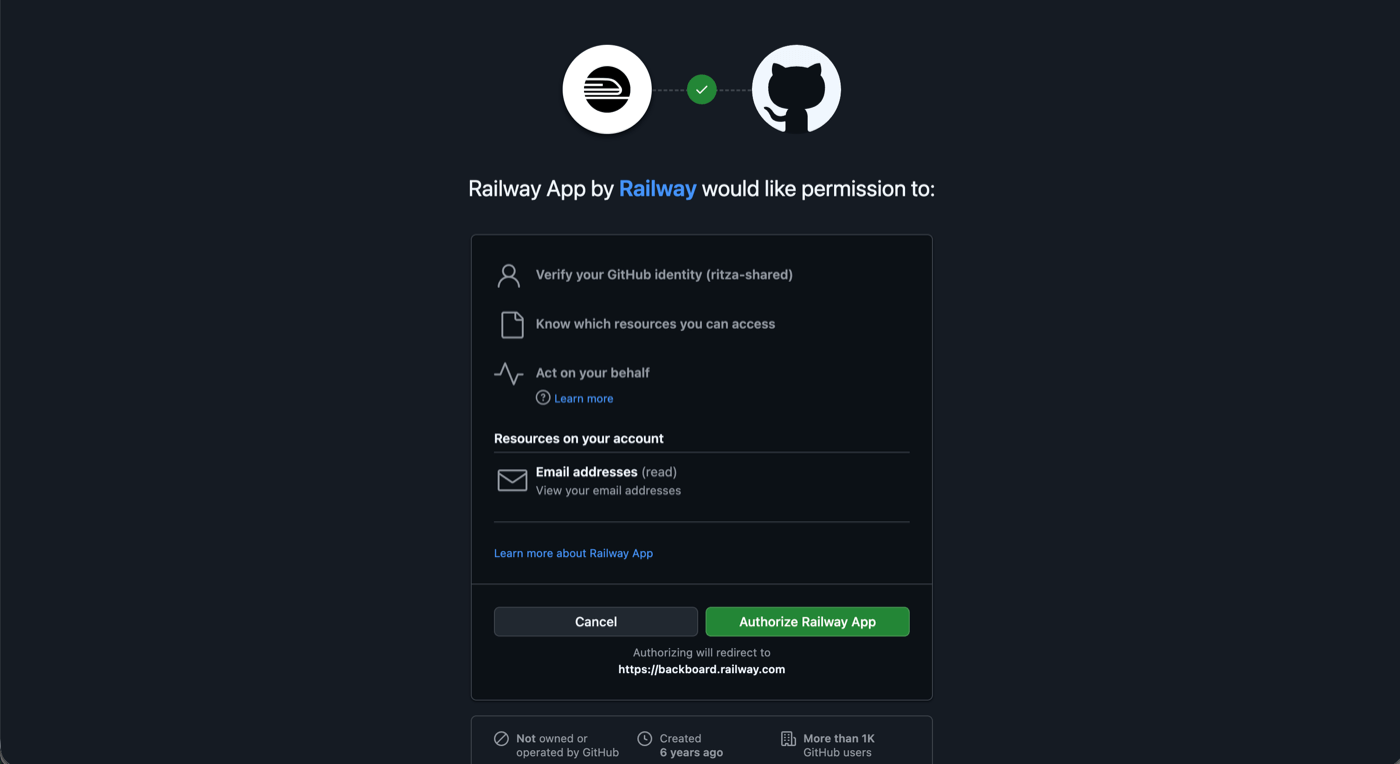
You're redirected to GitHub's standard OAuth page. This is the same flow you've done for dozens of other developer tools — authorize the app, and you're redirected back.
Step 3: Accept Terms of Service (two quick pages)
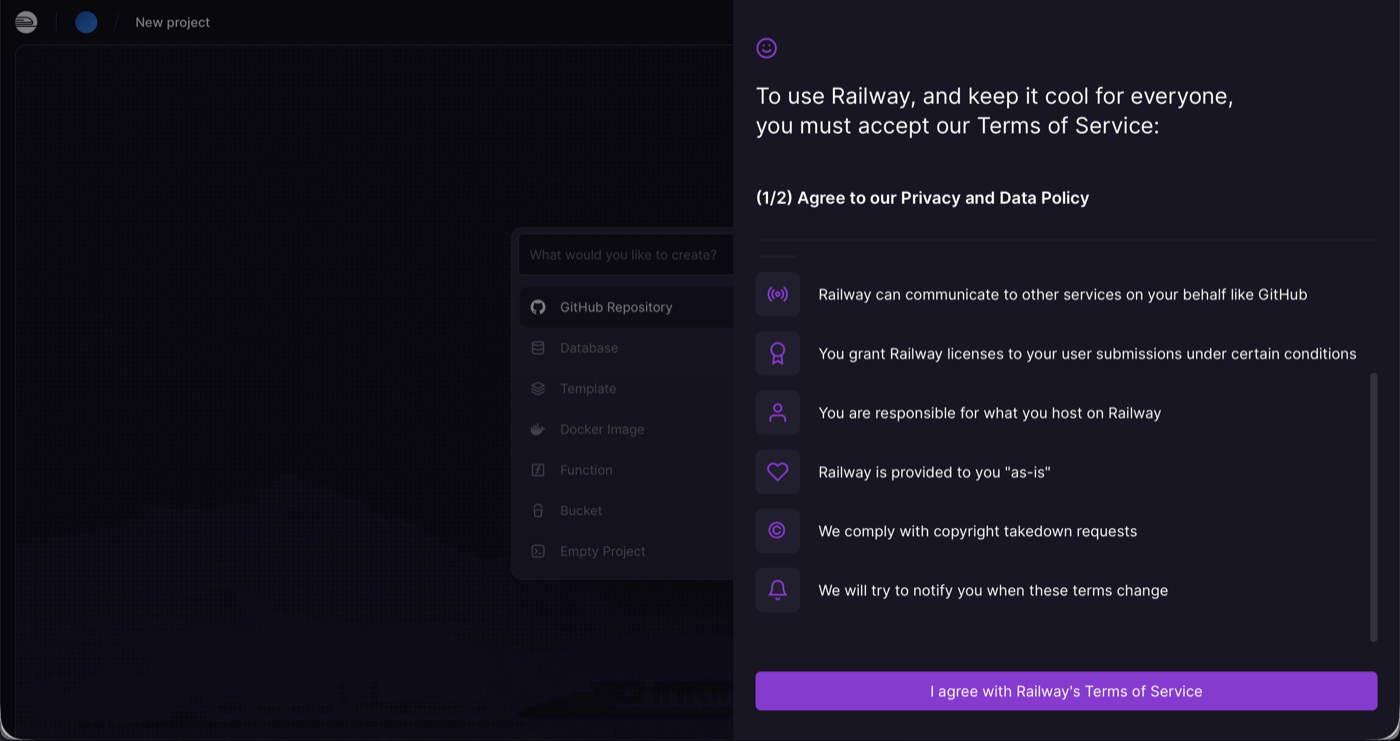
Railway does have Terms of Service, but they're presented in plain language and split into two digestible screens. The first covers their Privacy and Data Policy in six short bullet points. The second is a Fair Use Policy that lists what you can't host (crypto miners, mirrors/userbots, anything illegal). You click through both.
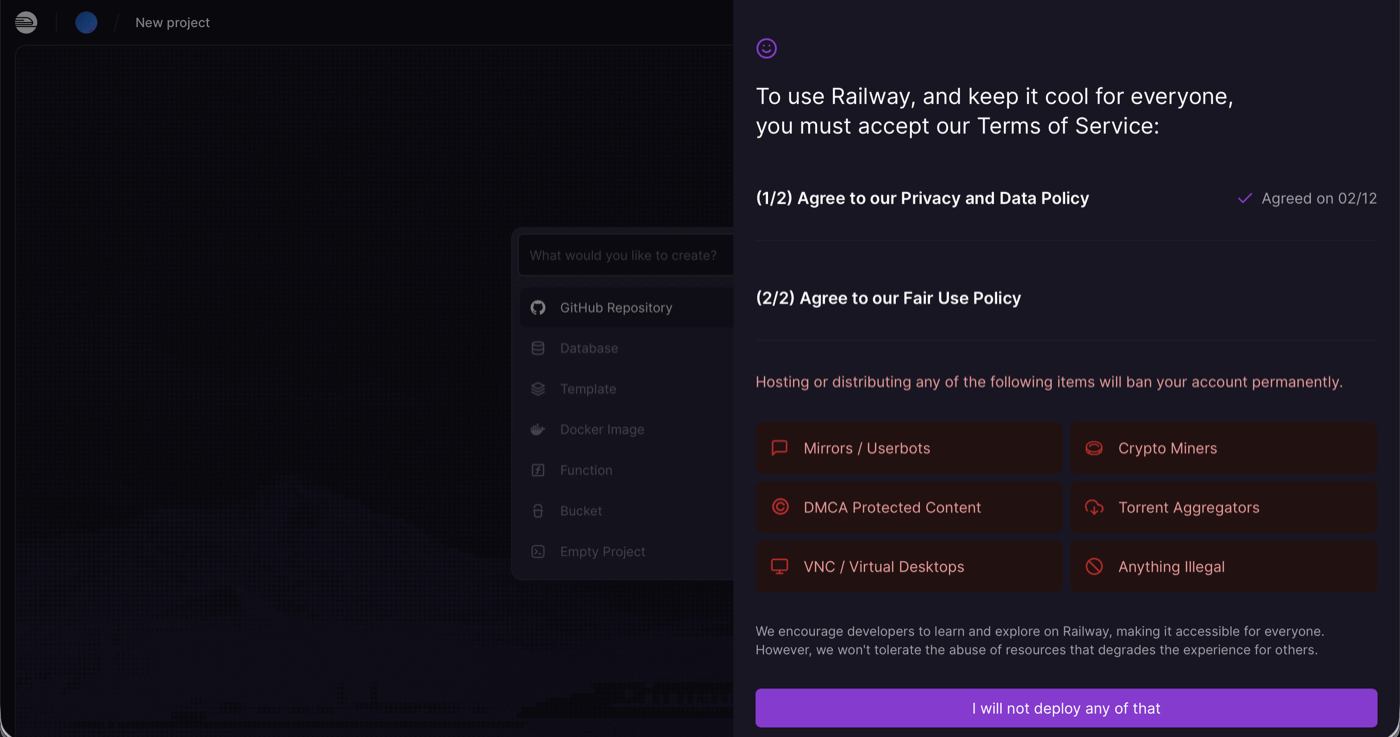
Step 4: You're in
That's it. You're on the "New project" screen with options to deploy from a GitHub repository, spin up a database, use a template, or deploy a Docker image. No payment method required. No MFA enrollment. No second login.
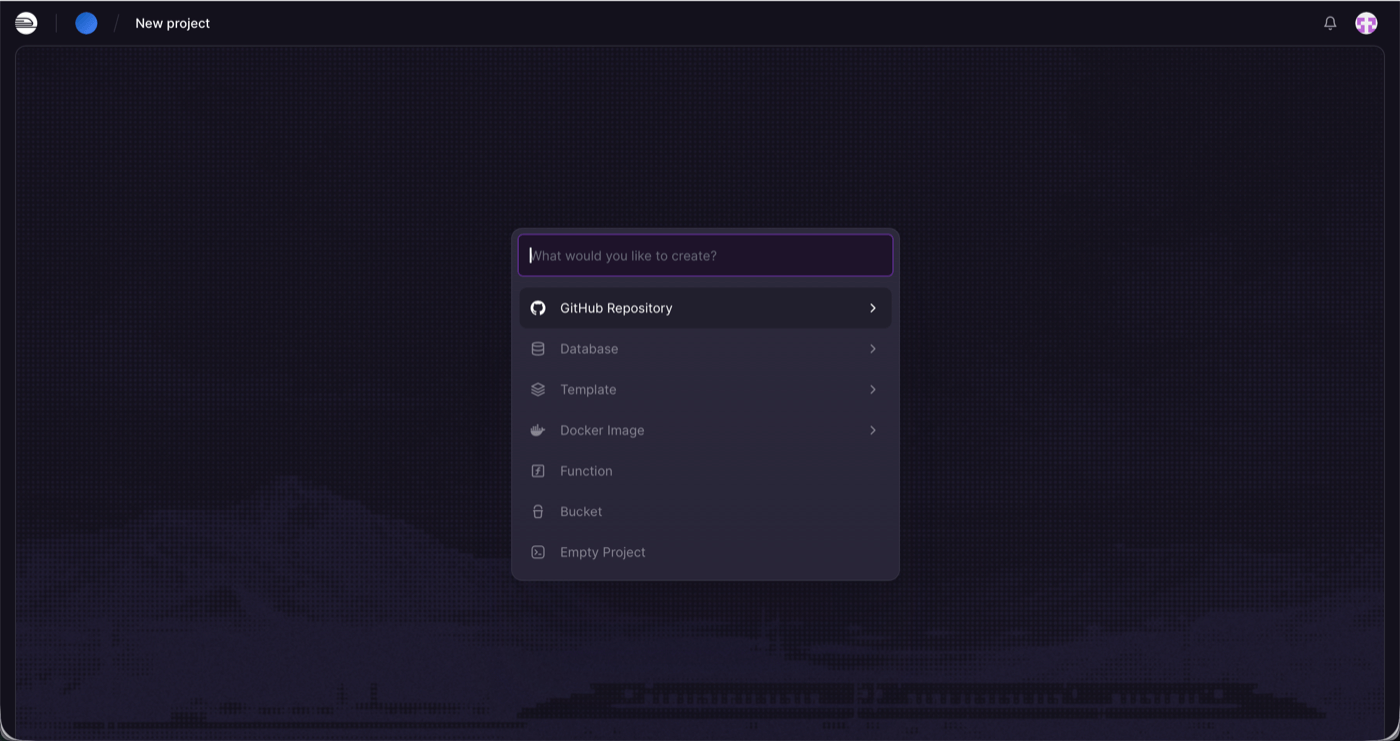
So Railway isn't literally one click — it's four screens including the GitHub OAuth redirect. But three of those screens are things you've seen before (OAuth) or read in 10 seconds (plain-language terms). The entire flow takes under a minute, and critically, it doesn't ask you to create or remember anything. No new password, no new MFA enrollment, no credit card. You use your existing GitHub identity and you're deploying.
Side-by-side comparison
| Heroku | Railway | |
|---|---|---|
| Screens to dashboard | 9 | 4 |
| Forms to fill | 2 (signup + profile) | 0 |
| Email confirmation | Required | Not required |
| Password creation | 15+ chars, complexity rules | GitHub OAuth |
| MFA enrollment | Mandatory during signup | Not required |
| Terms of Service | Salesforce legal agreement | Plain-language bullet points |
| Login after signup | Yes, separately | No |
| Payment required to start | Yes | No (trial included) |
| GitHub OAuth | Not available | Primary method |
| Time to first deploy | ~10 minutes + credit card | ~1 minute |
What went wrong
Heroku didn't die because of technical limitations. It died because Salesforce turned it into an enterprise product with enterprise friction. Every screen in the signup flow tells you something about priorities:
- The signup form asks for your company name and number of employees before you can create an account. This is lead qualification, not onboarding.
- Salesforce Authenticator is listed as the first MFA option, ahead of standard authenticator apps. The platform is serving Salesforce's ecosystem, not the developer.
- The Terms of Service reference the Salesforce Master Subscription Agreement and ask every user on earth whether they're domiciled in Italy. Internal compliance requirements are leaking directly into the user experience.
- The dashboard asks for a payment method before you can do anything — and then asks for a second payment method if you create a team. Two billing setups for one signup.
Railway, by contrast, has internalized the lesson that every screen between "I want to try this" and "I'm using this" is a place where you lose users.
The missing GitHub button
Signing in with GitHub or Google is table stakes for any modern developer product. It's not a nice-to-have — it's the expected default. Developers already have GitHub accounts. They're already authenticated in their browser. OAuth lets you skip account creation, email confirmation, password management, and MFA enrollment in a single redirect.
For a platform like Heroku, where the core workflow is deploying code from GitHub repositories, the absence of GitHub OAuth is beyond strange. Heroku already integrates with GitHub for deployments. It already knows about your repos. But it won't let you use that same identity to sign up. Instead, it makes you create a whole new Salesforce-adjacent account with its own password and its own MFA, and only then lets you connect to GitHub for the actual deployment part.
Railway gets this right. You sign in with GitHub — the same place your code lives — and you're immediately ready to deploy from your repos. There's no identity gap between where your code is and where you're deploying it. The authentication is the integration.
The bigger picture
This matters beyond just Heroku vs Railway. Smooth signup and onboarding flows are important for humans, but they're becoming critical for AI agents too. AI coding agents are increasingly the ones discovering, evaluating, and integrating developer tools on behalf of developers. An agent can't fill out a multi-step form, respond to a confirmation email, create a compliant password, set up MFA, and enter credit card details. But it can work with a tool that has a simple API and OAuth-based signup.
We've been writing about this as Agent Experience (AX) — how well AI coding agents can discover, sign up for, and integrate with developer platforms. Simple, frictionless onboarding isn't just a nice UX touch anymore. It's a prerequisite for being part of the AI-assisted development workflow that's rapidly becoming the norm.
The signup flow is just one symptom of how Heroku died. While demand for PaaS was exploding — every startup, every side project, every AI agent needing somewhere to deploy — Heroku was busy adding Salesforce compliance screens, mandatory MFA enrollment, and double payment method flows. The market was begging for simple deployment platforms and Heroku made itself harder to use. Railway, Render, Fly.io, and others filled the gap that Heroku created by neglecting the developer experience it once pioneered.
Salesforce's announcement of a "sustaining engineering model" isn't the death of Heroku. It's the autopsy.